If you’re reading Smartlead reviews, you’re either planning to buy it or already a user and wondering if there is a better cold email software out there.
Smartlead is certainly a good cold email tool. But the reviews don’t agree on how good.
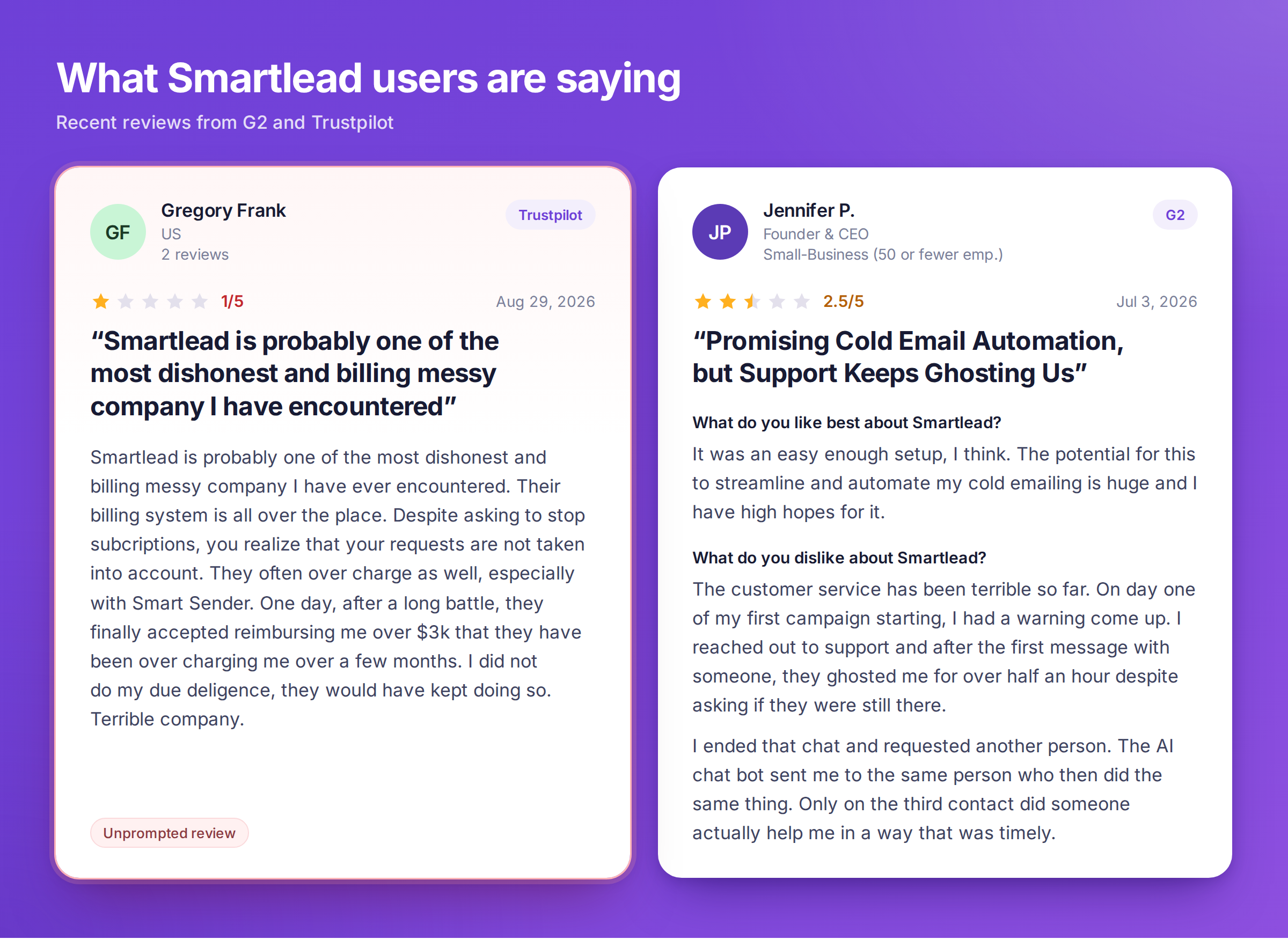
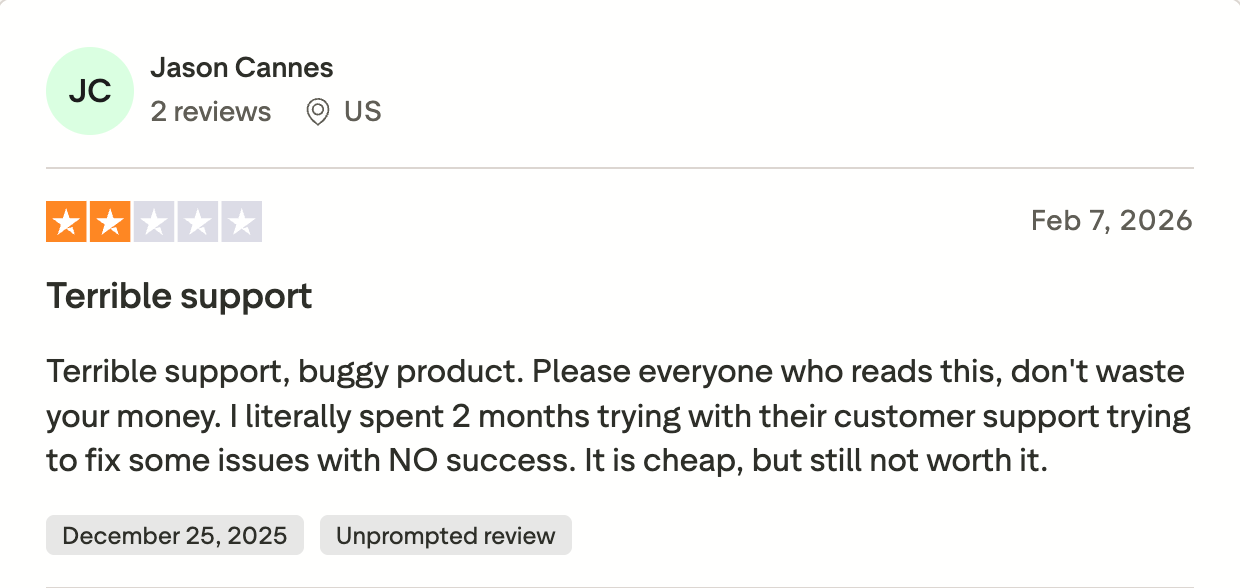
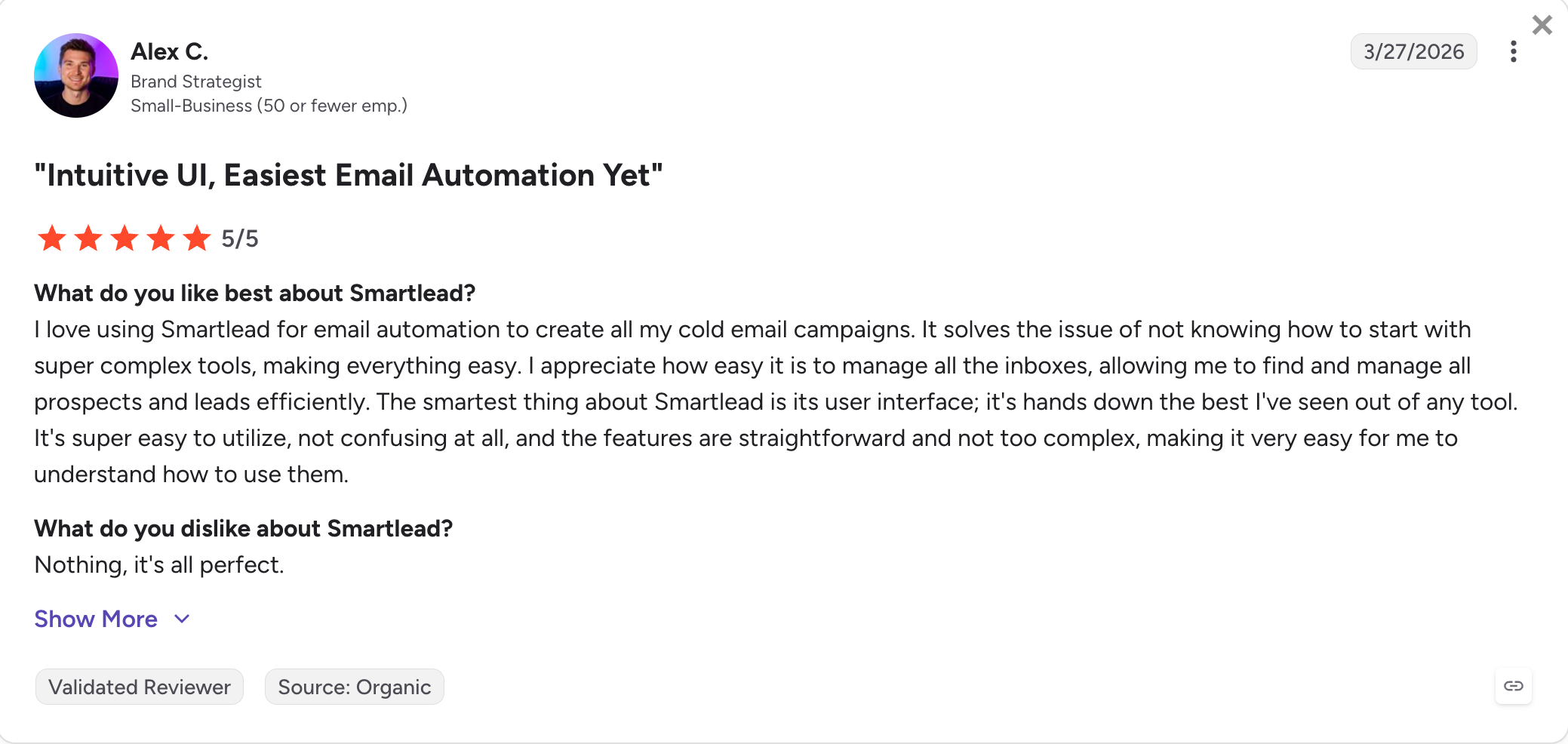
G2 rates it 4.5 out of 5 across 450+ reviews. Trustpilot rates it 2.9 across 141, where almost half are one star.
Some people love it. Others spent weeks trying to cancel.
So I bought Smartlead's $39 plan and ran it for 2 weeks.
In this Smartlead review I cover what it does well and where users get stuck. I also cover what you really pay once the add-ons stack, and who should pick something else.
What Real Users Are Saying About Smartlead in 2026
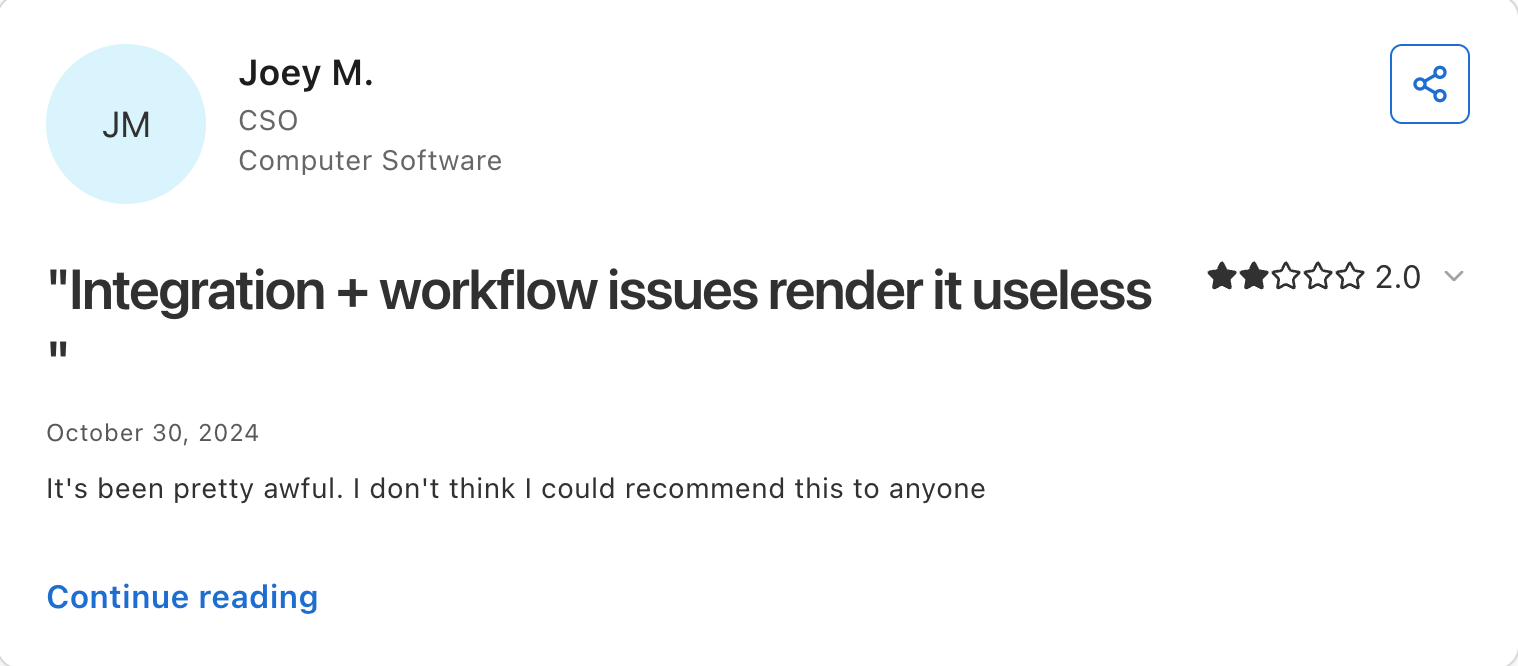
The most useful thing to understand about Smartlead review data is that the ratings split cleanly by platform, and the platform correlates with the type of user.
New users describe a "week two wall" where the initial setup feels smooth but scaling to real sending volumes surfaces mailbox disconnection issues, warmup pool quality debates, and reporting lag.
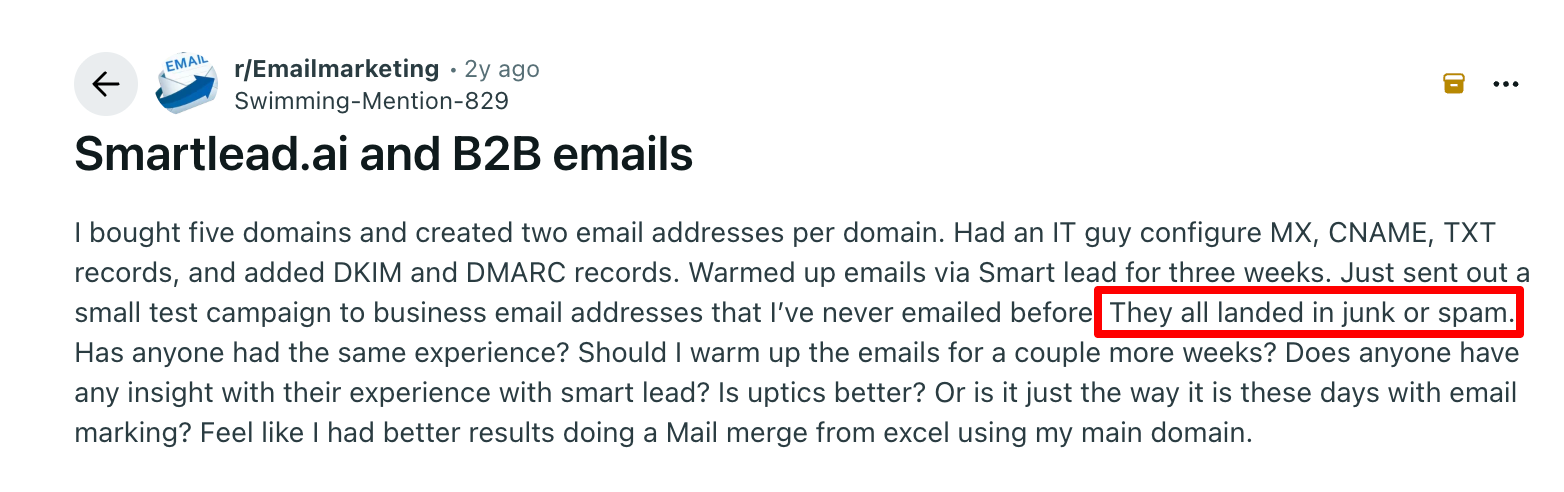
The most common cross-platform comparison in Reddit threads is Smartlead versus Instantly, and the consensus tends toward Smartlead for pure email deliverability and Instantly for a more polished UI and integrated lead database.
Trustpilot (2.9/5, 140+ reviews)
The Trustpilot review page surfaces the friction that G2 doesn't, with support quality and product bugs affecting live campaigns as the recurring theme.
I pushed it across two setups, one solo and one agency-style, and leaned hardest on six parts of the product.
Sequence Builder and Sub-Sequences
Smartlead walks you through Leads, Sequence, Accounts, Sub-Sequences, Settings and Launch. You follow a path instead of hunting for the next step.
Sub-sequences hold the conditional logic. Openers who never replied go one way, replies that went nowhere go another.
I built three branches and A/Z tested subject lines on every step.
What I liked: The builder took about ten minutes to understand, and the conditional steps fired as expected every time. Prospects moved between branches on the behaviour I set, not on a timer.
What I did not: Every branch sends email, and the logic runs out of room long before real outbound does. Reporting stops at opens and replies, so you cannot tell which branch produced pipeline.
My take: One of the better cold email builders at this price. If your definition of a sequence includes LinkedIn, skip it.
SmartProspect
SmartProspect gives you a built-in lead database of 270M+ profiles. You filter by job title, department, seniority, industry, headcount and location.
An exclude-previously-fetched option stops you paying twice for the same contact.
What I liked: The filters go deep, and saved searches meant I did not rebuild the same query twice.
What I did not: Relevance falls apart without a tight job title filter. You get accountants and engineers alongside the people you wanted. You get no buying signals, no funding alerts and no tech-stack triggers.
My take: Fine for basic list building, and not a replacement for a dedicated database.
Personalization
Personalization runs on handlebar merge tags. The preview lets you check an email against a real lead on desktop and mobile before you send.
What I liked: The preview caught formatting problems I would have missed, and switching between leads took seconds.
What I did not: A missing variable disappears silently and leaves a broken sentence. Fallback formats like {{region|your area}} do not work, and nothing warns you.
My take: Preview against real leads every time, because Smartlead will not tell you when a field is blank.
Warmup
Warmup runs on every tier including Base, with no cap on mailboxes. Smartlead tiers the pool itself, and the premium pool costs $59 a month on Base and Pro.
Pool size matters because warmup generates conversation that reads as human to inbox providers. A small pool recycles the same addresses until those providers learn the pattern.
What I liked: Heat scores climbed steadily on the standard pool, and by day 12 every mailbox had passed 85. Mailboxes on the premium pool ran two to three points higher.
What I did not: Warmup paused without telling me when an email bounced. One mailbox sat paused for roughly 36 hours before I found it in the settings view.
My take: Unlimited warmup at this price is the best thing about the entry plan. Check your mailbox list weekly, because it will not tell you when something stops.
Master Inbox
Master Inbox pulls every reply from every mailbox into one view and sorts them into nine buckets, including Interested, Out of Office and Not Now.
I tested it hardest on the agency setup. At 20 mailboxes, opening each inbox separately had stopped being workable.
What I liked: The sorting was accurate enough to save real triage time, and I would put the Interested against Not Now split around 85% correct.
What I did not: Past 300 replies a day the interface slowed. On the heaviest day a message that hit Gmail at 10:02 did not surface until 10:24.
My take: Trust the sorting for triage, and check the untracked folder weekly anyway. A reply you never see costs more than one sorted wrongly.
SmartDelivery
SmartDelivery handles inbox placement testing. You see primary, promotions and spam separately for Google, Outlook and the rest.
Placement data separates knowing a campaign underperformed from knowing why.
What I liked: Google Workspace placement held above 85% on the premium pool, and the per-provider drill-downs pointed at subject lines and domain factors instead of handing me a number.
What I did not: Outlook placement ran 10 to 15 points behind Google. Every platform shows that gap, so read it as an industry pattern and not a Smartlead fault.
My take: Good product, aggressive pricing. SmartDelivery costs $49, $174 or $599 a month on top of your plan, where most platforms bundle basic placement testing.
AI Features
Three things carry the AI label and they do different jobs. Write with AI and AI Spintax sit in the editor, SmartAssistant works inside your account, and SmartAgents builds no-code workflows.
What I liked: SmartAgents understood a plain-English instruction and built the automation without extra setup. SmartAssistant creates sequences and adds leads instead of only answering questions.
What I did not: Write with AI needs your own OpenAI API key, so the cost and the setup sit with you. Call it a bring-your-own-key feature, not a built-in one.
My take: SmartAgents is the standout and the reason to care about this section at all.
Integrations and MCP
Native integrations are thinner than the marketing suggests. HubSpot, Clay, ListKit, LeadMagic and OutboundSync cover the first-party list.
The wider ecosystem arrives through SmartAgents, reaching 35+ tools. The MCP server lets AI assistants pull campaign data and add leads without the dashboard.
What I liked: SmartAgents covers most of what I needed, including Slack, Calendly and the usual CRMs.
What I did not: API and webhooks start on Pro, so the Base plan connects to nothing. Reviewers also disagree on how reliable the MCP server is.
My take: A decent ecosystem, split awkwardly between native integrations and SmartAgents.
Client Workspaces and Whitelabel
Whitelabel turns Smartlead from a solo tool into an agency platform. A client logs into a branded interface with no Smartlead references.
Per-workspace analytics stay isolated, and role controls let you show someone their own campaigns without your admin views.
I set up three client workspaces and ran them side by side.
What I liked: Onboarding a client took under ten minutes end to end, and nothing leaked between workspaces.
What I did not: Whitelabel costs $29 per client per month, and three workspaces come included only on Unlimited Prime. Fifteen clients works out at $435 a month before anything else.
My take: The product is well built and the pricing scales against you at the point you grow. Model it on a spreadsheet before you commit past five clients.
Smartlead Pricing in 2026
Smartlead runs four tiers with 17% off annual billing. Prices below are the annual-billed monthly equivalent.
Plan
Per month, annual
Per month, monthly
Contacts
Emails/month
What you get
Base
$32
$39
2,000
6,000
Foundation warmup, no CRM, no API, no client workspaces
Pro
$78
$94
30,000
90,000
Growth warmup, CRM, API and webhooks, client workspaces as an add-on
Smartlead cost increases with add-ons rather than with plan upgrades.
SmartSenders mailboxes run $4 to $9 each a month, SmartDelivery runs $49 to $599, and whitelabel runs $29 per client.
Unlimited Smart and Unlimited Prime both lift the contact cap entirely, which is the only way to stop the contact limit biting before the send limit.
Smartlead Pros and Cons
Pros
Cons
Warmup runs on every tier with no mailbox cap, which almost nothing else at this price does.
The premium warmup pool costs $59 a month on Base and Pro, so the entry plan runs the standard pool.
Deliverability is the strongest part of the product, and agencies running real volume say so consistently.
Warmup pauses silently when an email bounces. One of my mailboxes sat paused for 36 hours with no alert.
Master Inbox sorted replies accurately enough to save real triage time across 20 mailboxes.
Reply volume slows it down. At 450 replies a day, messages lagged about 20 minutes behind Gmail.
The sub-sequence builder took ten minutes to learn and the conditional steps fired correctly every time.
Reporting stops at opens and replies. There is no revenue attribution, so you cannot tell which branch produced pipeline.
Whitelabel client workspaces are well built, and onboarding a client took under ten minutes.
Whitelabel costs $29 per client per month, so fifteen clients adds $435 before anything else.
The API and webhooks are strong enough that a whole ecosystem grew around them.
API access starts on Pro, so the entry plan connects to nothing.
G2 reviewers rate ease of use highly, and the setup flow genuinely is clean.
The same reviewers raise support as often as they praise it, and Trustpilot sits at 2.9.
A 14-day trial with no credit card, and no lock-in contract on any plan.
Refunds run seven days on a new plan and three after renewal. Add-ons get nothing, and there is no cancel button.
Who Smartlead Is Built For and Who Should Look Elsewhere
Smartlead Is a Good Fit If
You send a lot of email and email is your primary channel for lead generation.
You run an agency managing outreach or a lead generation agency with five clients or fewer.
You want to integrate Smartlead with other tools through CRM integrations, API, and webhooks.
You are an outbound team that knows how many leads you need each month to scale outreach.
You want strong automation and CRM integrations rather than a tool that does everything.
Look Elsewhere If
LinkedIn is part of your outreach.
You want support to answer fast when something breaks.
You want one price with no add-ons.
You run more than ten clients.
You want to leave easily.
Why Users Are Leaving Smartlead in 2026
People do not leave Smartlead because the sending fails; most leave when cold outreach gets harder to keep organized as the bill, the support queue, or the warmup pool costs them something the product should have protected.
Difficult to Cancel
Smartlead's pricing page says there are no lock-in contracts and that you can cancel anytime.
The help centre narrows that a lot. You get seven days to claim a refund on a new subscription, three days after a renewal, and nothing at all on add-ons.
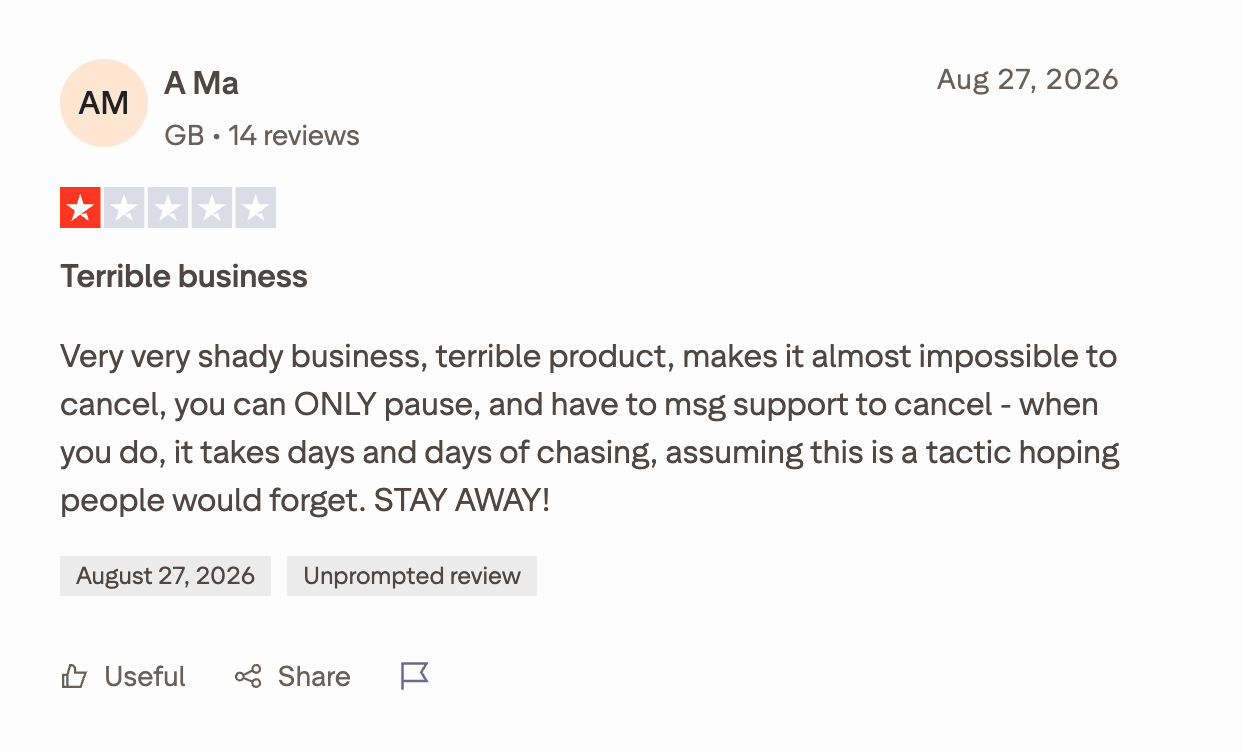
The cancellation flow draws its own complaints. A Ma, writing on Trustpilot on 27 August 2026, found no cancel button and had to message support to close the Smartlead account.
I did not cancel during the test, so I cannot confirm either account from my own experience.
Add-Ons Inflate the Bill
The Smartlead Base plan costs $32 a month and it only buys you cold email outreach sending.
Other necessary functionalities, such as the API, client workspaces and extra mailboxes, all cost more as add-ons.
The pricing section works out what five clients cost on Pro. The bill increases with every client you add, not with every plan upgrade.
I did not see that coming when I set up the agency workspaces, because each add-on looked small on its own. Smart Sender mailbox costs stack the same way when you need extra sending infrastructure.
Unpredictable Support
G2 tags Customer Support 30 times as praise and Poor Customer Support 19 times as a complaint. Those counts come from the same product and the same review page.
On Trustpilot, the story is different.
Kodi Mcgrath waited two weeks for a reply. Yoon Hwang wrote that he thinks there is just a bot behind every email.
I never needed support during the test, so I am going on what reviewers report.
Warmup Can Burn a Domain
Smartlead earns more praise for warmup than anything else. Warmup also carries the complaint with the worst consequence.
Sellx Limited, writing on 8 September 2026, found domains on the SURBL blacklist. Smartlead's warmup service was the only thing touching one of them.
I saw the mild version myself. One mailbox sat with warmup paused for 36 hours and nothing told me.
Salesforge is an all-in-one multichannel outreach tool that runs cold email and LinkedIn in one conditional sequence, with free unlimited warm-up through Warmforge.
LinkedIn actions route through managed proxies on session tokens, so no password gets stored and no Chrome extension touches the page.
Pricing stays flat at $40 a month for Pro and $80 for Growth, both billed annually. ESP matching, 21+ language personalisation and unlimited LinkedIn senders sit on the Growth plan.
How Salesforge Works
You connect your mailboxes and LinkedIn senders to the same workspace, then build one sequence across both channels.
The branching runs on real if-then logic, not a linear email-then-LinkedIn chain. If a connection request gets accepted, the next step fires a LinkedIn message. If it does not, the sequence falls back to email. Steps can branch on accepted, replied, viewed profile and the rest.
Every reply from every mailbox and every LinkedIn sender lands in Primebox™. Auto-Pilot handles routine replies end to end, and Co-Pilot drafts responses for you to approve before they send.
Salesforge Key Features
Multichannel Outreach: Email and LinkedIn run in one conditional sequence, and steps branch on what the prospect did.
Six Native LinkedIn Actions: Connection requests, messages, InMails, post likes, follows and withdraw requests. A sequence can warm a profile before it pitches, then clear out stale invites afterwards.
Unlimited Mailboxes and LinkedIn Senders: No per-mailbox or per-sender fee, so adding capacity does not move the bill.
Unlimited Users, Workspaces and Contact Storage: Growth carries all three, so an agency pays the same at fifteen clients as it does at three.
Free Unlimited Warm-Up: Warmforge warms every connected mailbox on every plan, with no tiers and no add-on charge.
Primebox™: Every email and LinkedIn reply lands in one inbox. Auto-Pilot answers routine replies end to end, and Co-Pilot drafts them for you to approve.
AI Personalisation: AI variables pull company news, LinkedIn activity and industry context across 21+ languages. A localised greeting adapts the opening to the recipient.
Native CRM Integrations: HubSpot, Pipedrive and LinkedIn Sales Navigator connect directly, with open API access and webhooks on Growth.
Free Chrome Extension: The extension pulls verified emails and mobile numbers off LinkedIn profiles using Leadsforge credits, and new accounts get 100 free.
Agent Frank: An autonomous AI SDR who prospects, writes and sends, then handles follow-ups and books meetings on your calendar. He is sold separately from $499 a month.
Forge MCP Server and CLI: Claude, Cursor or your own agents can build sequences and move contacts without touching the interface.
10,000 contacts, 50,000 emails a month, unlimited users, unlimited LinkedIn senders, unlimited workspaces, ESP matching, API
Agent Frank
$499
Billed quarterly
Autonomous AI SDR that prospects, writes, sends, follows up and books meetings
Both plans carry a 14-day free trial, and you start it without a credit card.
What Salesforge Users Say About Switching From Smartlead
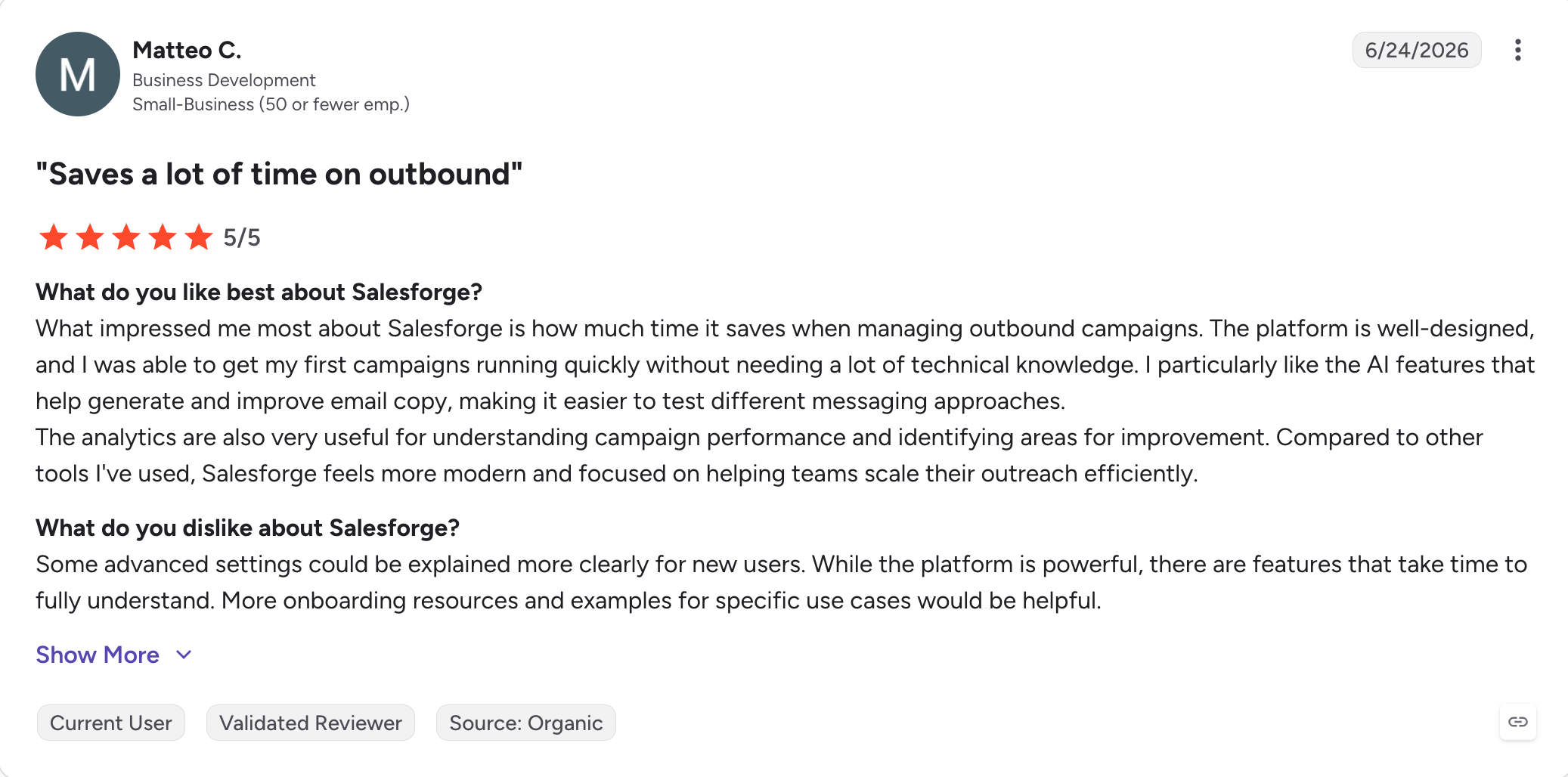
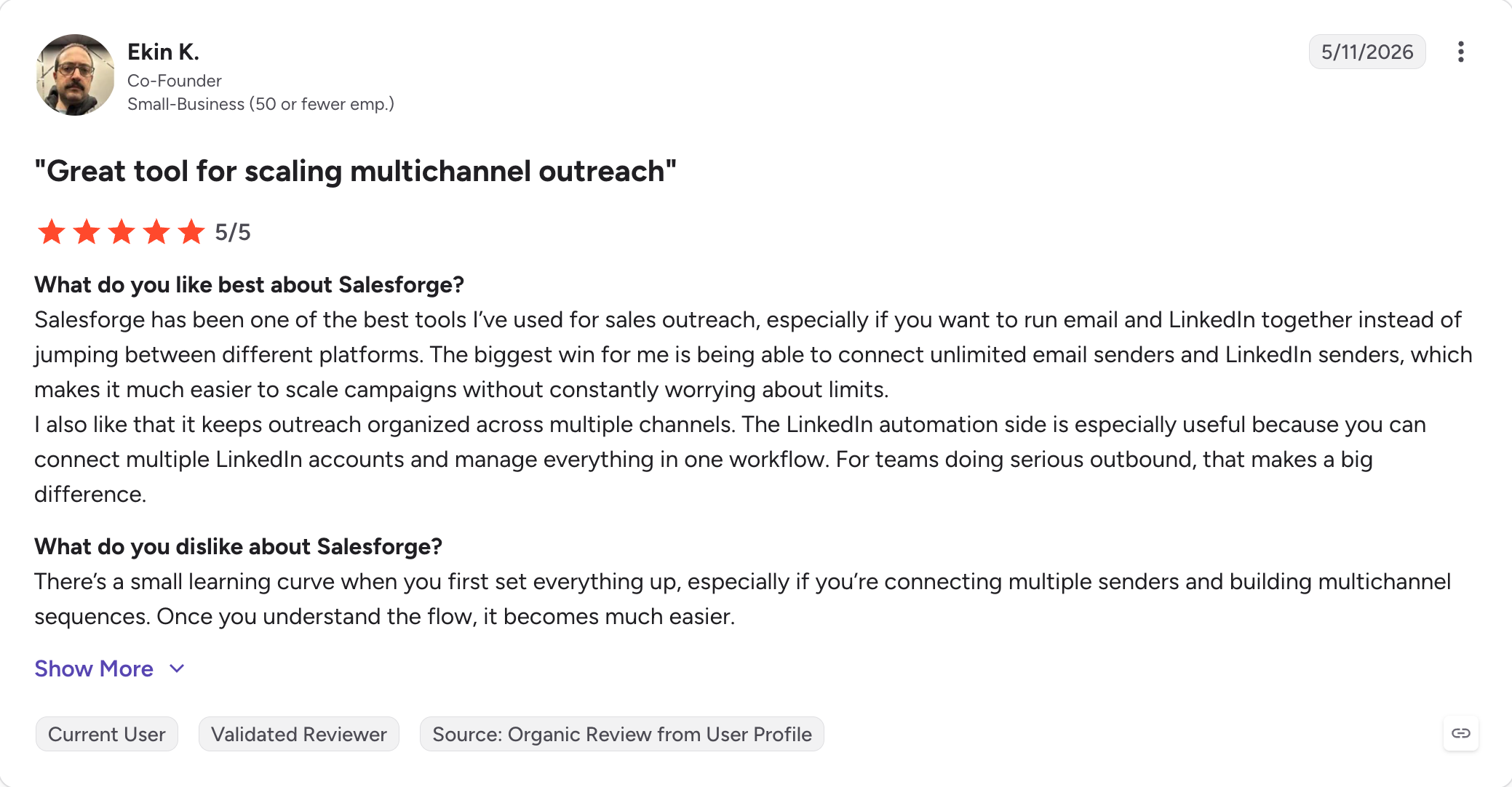
Salesforge holds a 4.6 rating on G2, and based on user feedback, the recurring switcher themes are multichannel included, warmup included, and unlimited LinkedIn senders on Growth.
If you are already paying and wondering whether something better exists, ask whether email is still your only channel. Smartlead does email better than most things at the price, and it does not do LinkedIn at all.
It remains strongest for cold email automation, especially for outbound teams using email as the primary channel.
If you came to find out what it really costs, the honest number is not $32.
Premium warmup, placement testing, extra mailboxes and a client workspace take an agency on Pro near $397 a month, which matters most for agencies managing outreach at scale.
So is Smartlead worth it?
For email-only sending at volume, yes. It handles high outbound email volumes well and does lead generation and cold email automation well.
But if you don't want a bill that increases with every new client, unpredictable support, and LinkedIn as second channel, then it's better to switch to Salesforge.
Salesforge runs email and LinkedIn in one conditional sequence, with warm-up, ESP matching and Bounce Shield included instead of billed as add-ons.
Pro costs $40 a month and Growth costs $80, both billed annually, and the price remains the same whether you run three clients or fifteen.
Yes. Vaibhav Namburi founded it in 2022 and runs it from Sydney. It is an established name in B2B cold email and lead generation, and G2 rates it 4.5 out of 5 across 454 reviews.
2. Why is Smartlead rated 2.9 on Trustpilot but 4.5 on G2?
The platforms attract different people. G2 reviewers rate the software and Trustpilot reviewers rate the billing and support. Forty-five percent of Trustpilot reviews give five stars and 47% give one.
3. Is Smartlead free?
No. The 14-day trial needs no credit card but caps you at 2,500 sends. After that the cheapest plan is $32 a month billed annually.
4. How much does Smartlead actually cost?
More than $32 if you need anything beyond sending. Five clients on Pro with mid-tier placement testing lands near $397 a month.
5. Can I get a refund from Smartlead?
Only inside seven days on a new plan, or three after a renewal. Add-ons get nothing.
6. How do I cancel Smartlead?
You message support. The product has no cancel button, and the in-app option only pauses your account.
7. Does Smartlead do LinkedIn outreach?
No. Sequences run on email only, so LinkedIn needs a second tool. I use Salesforge for that, because it runs both in one sequence.
8. Which is better, Smartlead or Instantly?
Smartlead fits teams focused on cold email automation. Instantly suits teams who want faster setup and a lead database built in.
9. Is Smartlead's warmup safe?
Mostly. Heat scores climbed steadily in my testing, though one Trustpilot reviewer found a warmup domain blacklisted in September 2026.
Book more meetings on autopilot
Set up in minutes. No per-seat pricing. No commitment.
Boardy is an AI superconnector that makes double opt-in introductions from its own network of more than 248,000 people. I run it next to an AI SDR and both work from the same ICP. This review covers how to set Boardy up and what its intro emails look like. It also covers Boardy Pro pricing and where Boardy falls short. It ends with how I hand each intro pattern to my AI SDR for outbound at volume.


.png)



