The outbound sales stack in 2026 rarely costs what the pricing page suggests.
Anyone who's run outbound at scale has watched the invoice grow quickly.
What starts as a $50-per-user tool becomes $200 per user once credits, LinkedIn add-ons, calling modules, and warm-up subscriptions stack up.
The starting price and the invoice rarely match, and the difference is usually where outbound budgets get eaten.
Most outbound sales tools do the job they claim on the label.
In my experience running outbound campaigns across the last few years, every tool in this ranking has real strengths (some handle deliverability better than others, some LinkedIn better, some data enrichment better) and every tool has limitations that only surface after 30 to 60 days of daily use.
What matters is not the marketing copy.
What matters is whether pricing scales sensibly as the team grows, whether multichannel is native or bolted on, whether warm-up is included or billed separately, and whether deliverability holds up when you push past 50 mailboxes.
That's what this ranking looks at. Every tool below carries real annual pricing from the vendor's own page, review evidence from G2 and Trustpilot, and limitations flagged where I've seen them or where reviewers consistently report them.
Let's get into it.
TL;DR: 10 Outbound Sales Software at a Glance
Salesforge: Flat-rate multichannel outreach (email + LinkedIn) with unlimited mailboxes, native AI personalization in 21+ languages, and included warm-up. Best for growth-stage teams that want one platform instead of five. Starts at $40/month (billed annually). 14-day free trial, no credit card required.
Agent Frank: Autonomous AI SDR built by Salesforge that prospects, writes, and sends 24/7 with a dedicated human account manager on setup. Best for teams scaling pipeline without hiring more SDRs. Starts at $499/month (billed annually).
Apollo.io: Data-heavy platform combining 275M+ contacts, dialer, LinkedIn extension, and sequences. Best for teams that want lead data and outreach under one login. Starts at $49/user/month (billed annually).
Smartlead: Cold-email-only tool for agencies running unlimited mailboxes and sender rotation at scale. Starts at $39/month (billed annually).
Instantly: High-volume cold email with unlimited inboxes and a private deliverability network. Best for teams focused on volume-first outreach. Starts at $37.60/month (billed annually).
Lemlist: Visual personalization (custom images and videos per prospect) plus multichannel sequences. Best for creative-led SMB teams. Starts at $59/seat/month (billed annually).
Reply.io: Multichannel platform with Jason AI SDR; LinkedIn and calls billed as separate add-ons. Starts at $49/month (billed annually) for email; $89/user/month for multichannel.
Klenty: Sales engagement platform with cadences, dialer, and deep CRM sync (Salesforce, HubSpot). Best for reps who live inside their CRM. Starts at $50/user/month (billed annually).
ZoomInfo: Enterprise B2B database with intent signals and integrated engagement suite. Custom pricing only; best for enterprise teams with a data-first budget.
Cognism: GDPR- and CCPA-compliant B2B database with phone-verified mobile numbers. Best for teams selling into Europe. Custom pricing only.
Feature Comparison: Top Outbound Sales Software at a Glance
Native, six LinkedIn actions, conditional branching
Email + LinkedIn extension (manual tasks in 2026)
Email only
Email only
Email + LinkedIn + calls (top tier only)
Via engagement suite (paid add-on)
AI personalization
21+ languages, Localized Greeting variable
English-first, credit-based Apollo AI
AI writer add-on
AI-generated variants at every tier
Icebreaker AI for opener generation
Copilot AI (paid add-on)
Deliverability and warm-up
Unlimited Warmforge warm-up included
Not included
Unlimited warm-up included
Deliverability network included
lemwarm sold separately
Not applicable
Contact database
Via Leadsforge (separate subscription, shared login)
275M+ contacts (varies by plan)
Not included
Sold as Instantly Credits (separate subscription)
Not included
321M+ contacts
Unified reply inbox
Primebox (Auto-Pilot + Co-Pilot modes)
Basic inbox
Master inbox
Unibox
Multichannel inbox
Engagement inbox
Chrome extension
Free to install; email and phone lookups via Leadsforge credits
Yes; LinkedIn profile enrichment
No native extension
No native extension
Yes; LinkedIn Chrome extension
ReachOut Chrome extension
API and Integrations
Public REST API + native HubSpot, Pipedrive, LinkedIn Sales Navigator, Zapier, webhooks
API + Salesforce, HubSpot, Zapier
API + HubSpot, Zapier
API + HubSpot, Salesforce, Zapier
API + HubSpot, Salesforce, Pipedrive
API + Salesforce, HubSpot, Marketo, deep CRM sync
MCP CLI
Forge MCP Server (Claude, Cursor, other AI clients)
No native MCP support
No native MCP support
No native MCP support
No native MCP support
No native MCP support
AI SDR
Agent Frank add-on ($499/month billed annually)
Apollo AI Assistant (not autonomous)
Not offered
Not offered
Not offered
Not offered
How I Evaluated These Tools
I ranked these platforms on five weighted criteria, in this order:
Multichannel depth: whether the tool runs email and LinkedIn in one sequence with branching logic, or forces you to bolt on a second tool.
Deliverability infrastructure: whether warm-up is included, whether the platform supports sender rotation, and how the tool handles reputation at scale.
Pricing transparency: whether the price on the pricing page matches what a growing team actually pays. Flat rates beat per-seat pricing on total cost once teams grow past three users. Add-on pricing (LinkedIn as a separate SKU, credits metered separately) is called out.
Review evidence: aggregate G2 ratings, review counts, and the sentiment pattern in critical reviews. Ratings alone rarely capture the buying experience; the shape of the complaints matters more.
Integrations and API access: CRM sync depth (HubSpot, Salesforce, Pipedrive), Zapier, API, and where available, MCP for AI agents.
I also gave weight to whether the platform included warm-up (Warmforge, Instantly's network) versus billed it separately (lemlist's lemwarm add-on).
More importantly, whether the tool was designed for the reader's tier of business (Salesforge and Instantly for growth-stage; ZoomInfo and Cognism for enterprise).
Each per-tool section below includes annual pricing, review data, and a note on the buyer profile the tool fits.
10 Best Outbound Sales Software in 2026
1. Salesforge: Best Overall for Multichannel Outbound
Salesforge is the outreach platform I recommend when teams describe outgrowing per-seat tools.
It sits in a specific corner of the market: growth-stage B2B teams (5 to 15 users) that have moved past the solo-founder outreach phase but haven't hit the enterprise procurement stage where Outreach or Salesloft become viable.
Where other multichannel platforms bill LinkedIn as a separate SKU or gate mailboxes by user, Salesforge treats the whole outreach stack as one number on the invoice.
Two things earn Salesforge its spot at position one beyond the feature list.
First, the 1K+ Slack community (CEO Frank Sondors is active in it) means answers to specific configuration questions arrive in hours rather than days.
Second, the roadmap ships fast: features like the Localized Greeting variable and the Forge MCP Server rolled out in 2026 without breaking existing sequences.
For teams that don't want to bet their outbound motion on legacy tools, that pace matters.
Core features:
Unlimited email mailboxes and LinkedIn senders: no per-seat or per-mailbox pricing. Pro includes unlimited mailboxes and one LinkedIn sender; Growth adds unlimited LinkedIn senders and unlimited users.
Native multichannel sequences with conditional branching: email and LinkedIn in one flow with branching on open, click, reply, connect, and no-reply. A/B testing and per-step analytics included.
Six LinkedIn actions in one sequence: connection requests, messages to first connections, InMails, post likes, follows, and withdraw connection requests. All run from the same campaign as the email steps.
AI personalization in 21+ languages: prospect-specific generation using LinkedIn profile, company news, and industry context. The Localized Greeting variable renders greetings in the recipient's language on send (Hello, Bonjour, Hola, Guten Tag), costing one personalization credit per send.
Primebox unified inbox with two modes: Co-Pilot mode drafts replies for human approval; Auto-Pilot mode continues conversations autonomously. Unifies replies from every mailbox and LinkedIn sender.
Free unlimited warm-up via Warmforge: Sender rotation, dynamic ESP matching, Bounce Shield to pause mailboxes that cross a bounce threshold. Included with the Salesforge subscription.
Salesforge Chrome extension: free to install, surfaces verified emails and mobile numbers on LinkedIn and company sites and pushes contacts into a sequence. Lookups consume Leadsforge credits (1 per email, 10 per mobile); new users get 100 free credits on Leadsforge signup, no credit card required.
LinkedIn automation with multi-sender safety: the six supported LinkedIn actions run through the same sequence engine as email steps. Growth users can rotate actions across unlimited LinkedIn senders, distributing volume across multiple profiles to keep per-account activity within safe daily thresholds. This design reduces the risk of LinkedIn account restrictions that come from concentrating high automation volume on a single profile.
Native integrations and public API: HubSpot, Pipedrive, LinkedIn Sales Navigator, Zapier, and webhooks handle standard CRM and workflow connectivity. The public REST API supports full CRUD on contacts, sequences, and workspaces, and every campaign event (send, open, click, reply) is available via webhook for custom pipelines.
Forge MCP Server: connects the Forge Stack to Claude, Cursor, and other AI clients for programmatic outbound workflows via CLI, so agents can prospect, enrich, and launch sequences from natural language.
Pros and cons:
✅ Pros
❌ Cons
Flat-rate pricing with unlimited mailboxes and unlimited LinkedIn senders on the Growth plan
Lead database requires a separate Leadsforge subscription (single login, separate billing)
Native email and LinkedIn multichannel automation with conditional branching in one platform
The Pro plan includes only one LinkedIn sender
Warmforge email warm-up is included at no extra cost
—
AI personalization in 21+ languages with the Localized Greeting variable
—
Chrome extension can push verified emails and phone numbers directly into a sequence
—
Pricing:
Plan
Price
What's included
Pro
$40/month (billed annually)
1,000 contacts, 5,000 emails/month, one LinkedIn sender, unlimited mailboxes, Primebox, and Warmforge
Autonomous AI SDR with 24/7 prospecting, sequence writing, follow-ups, a dedicated account manager, and shared Slack support
All plans include unlimited warm-up, mailbox rotation, dynamic ESP matching, email validation, and Primebox. 14-day free trial, no credit card required.
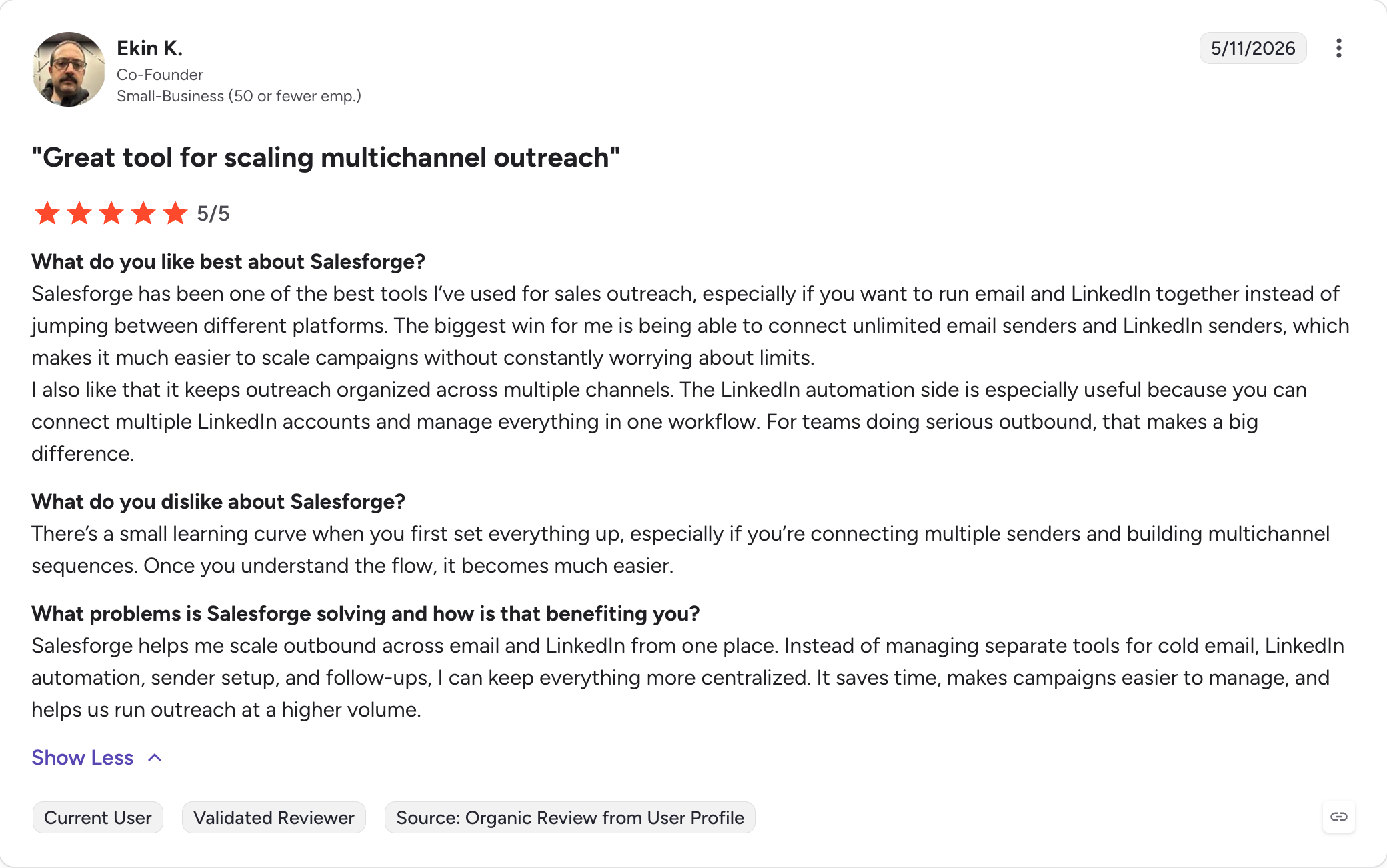
Reviews:
Why Salesforge earns position one:
Salesforge consolidates the multichannel workflow and pipeline management other tools split into three separate subscriptions.
Instantly ships email-only. Lemlist charges per seat and gates LinkedIn to its top tier. Apollo runs LinkedIn through a Chrome extension that in 2026 requires manual task queues rather than native automation.
Where other tools force teams to stack an email platform, a LinkedIn tool, and a separate warm-up product, Salesforge ships all three inside one subscription.
That combination consistently produces the best price-to-capability outcome for growth-stage teams running a five-to-fifteen-person outbound motion.
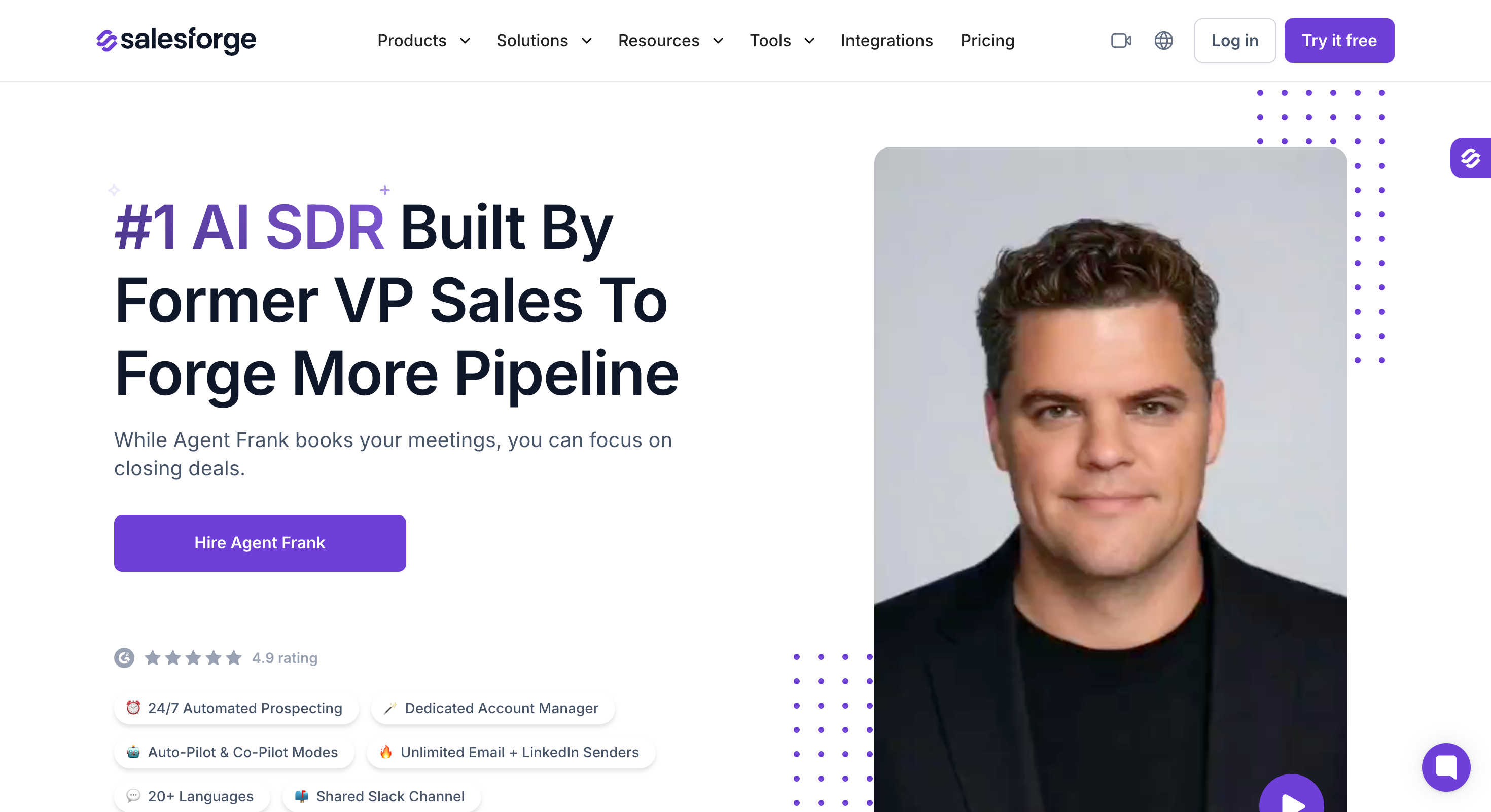
Agent Frank is the AI SDR built by the Salesforge team.
Unlike the other tools in this ranking, Agent Frank isn't a platform you configure and run yourself.
It's an autonomous AI SDR that prospects, writes, sends, and follows up 24/7 with a human account manager assigned to your account for setup, optimization, and ongoing performance work. The pitch is not "here's software; go do outbound."
The pitch is closer to "here's an AI SDR hire; here's the human who manages him for you."
That framing changes the buying decision meaningfully. Agent Frank replaces (or augments) an SDR role, not a piece of software.
Core features:
24/7 autonomous prospecting on your ICP: Agent Frank continuously prospects around the clock based on ICP criteria you set (job titles, seniorities, industries, geographies, revenue bands, headcount). Once configured, he finds new contacts, enriches them with verified emails and LinkedIn URLs, and moves qualifying leads into active sequences without manual list uploads. No batch mode; he keeps prospecting as long as the ICP is active.
Auto-Pilot mode (fully autonomous): Agent Frank writes, sends, follows up, and handles inbound prospect responses without any human approval step. Every message goes out on its own. This is the mode for teams that want to hire an AI SDR and step back from day-to-day sending.
Co-Pilot mode (draft-and-approve): Agent Frank drafts every outbound email and every AI-generated reply, but a human approves before send. Same personalization engine and follow-up logic as Auto-Pilot, just with a checkpoint before messages leave the inbox. Teams that want AI drafting speed without ceding message control default to this mode.
Dedicated human Account Manager (included, no extra fee): Every Agent Frank account gets a real Salesforge team member assigned as the account's AM. The AM handles setup (infrastructure, ICP configuration, Knowledge Base upload), ongoing optimization, and performance tuning across the sequence lifecycle. This is the differentiator against competing AI SDR products where "AI does everything" often means the customer is on their own if performance drifts.
Knowledge Base for product-accurate messaging: upload product brochures, case studies, pricing docs, one-pagers, and website links into Agent Frank's Knowledge Base. Every message he writes references the actual product, not a generic version of the category. This addresses the common AI SDR problem where messages read like they could have been written for any company in the category.
20+ languages with native localized personalization: Agent Frank writes prospecting messages in 20+ languages using localized greetings and native business conventions. This is LLM-native generation in the target language, not machine translation of English drafts, which reads differently to native-speaker recipients.
Unlimited email and LinkedIn senders (flat-rate, not per-seat): no cap on the number of mailboxes or LinkedIn profiles Agent Frank can send from. Teams that already have 20 to 100 mailboxes provisioned can plug them all in without re-pricing. Growth ramps happen by adding mailboxes, not by adding line items to the invoice.
Megaforge premium multi-ESP infrastructure ($69/month add-on): 20 mailboxes distributed across Gmail, Microsoft 365 (via Primeforge), Mailforge shared IPs, and Infraforge dedicated IPs. Sends approximately 300 emails per day across the ESP mix. Diversifying across multiple ESPs is a common deliverability tactic at volume, since concentrated sending from a single provider is easier for spam filters to fingerprint. Teams can also bring their own domains and mailboxes if they prefer.
Warmforge integration (2-week warmup, included at no extra cost): new Agent Frank mailboxes go through 2 weeks of automated warmup via Warmforge before Agent Frank sends real outreach. The warmup targets a heat score above 85, which is the threshold Salesforge's deliverability team uses to call a mailbox ready for volume. Included in the Agent Frank subscription, not a separate line item.
Shared Slack channel with your Account Manager: every Agent Frank account gets a dedicated Slack channel for real-time coordination with the AM. Questions about a sequence's performance, ICP tweaks, or infrastructure changes get resolved in minutes rather than through ticket queues. This is a specific difference from pure-software AI SDR products where communication happens through a chatbot or async email.
3. Apollo.io: Best Combined Data and Outreach Platform
Apollo.io shows up in every outbound sales software conversation for a reason, especially for sales professionals who want core prospecting and outreach in one place:
It packages a 275M+ B2B contact database, email sequences, a LinkedIn Chrome extension, a browser dialer, and CRM sync in a single product surface.
If you want lead data and outreach under one login, Apollo remains the most-considered option in this ranking. The Free plan (up to 10,000 emails per month) also gives Apollo the widest funnel of the tools here and helps teams engage potential customers from one login.
The one thing to know about Apollo in 2026 is that on January 30, Apollo removed its native LinkedIn automation and replaced it with manual task queues.
Sequences can still include LinkedIn steps, but reps have to complete them by hand rather than the tool executing connection requests or messages autonomously.
If native LinkedIn automation matters to the team's workflow, Salesforge, Lemlist, or a dedicated LinkedIn tool now handles that better than Apollo does.
Core features:
275M+ B2B contacts with verified emails and mobile numbers, updated monthly
Email sequences with A/B testing, analytics, robust analytics, and multi-step branching
LinkedIn extension with manual task queues (native automation removed January 30, 2026)
Browser-based dialer for cold calls with local presence and call recording (Pro tier and above)
Salesforce, HubSpot, Zapier integrations plus a public API for CRM integration
Apollo AI Assistant for message personalization (credit-metered)
Free plan with 10,000 emails per month
Pros and cons:
✅ Pros
❌ Cons
Massive built-in contact database with 275M+ contacts, reducing the need for a separate data subscription
LinkedIn automation was removed in January 2026, with LinkedIn steps now handled as manual tasks
Free plan includes up to 10,000 emails per month, making it useful for evaluation
Per-user pricing becomes expensive as teams grow, especially compared with flat-rate alternatives
Native Salesforce and HubSpot integrations available on every paid plan
Active teams often exceed their enrichment credits and incur additional charges
Built-in browser dialer with local presence on Pro and higher plans
Deliverability at high volume is a common complaint, with many teams moving to dedicated infrastructure after 50+ mailboxes
Apollo AI Assistant helps draft and personalize outreach
AI Assistant usage is credit-based, so heavy use increases overall costs
Pricing:
Plan
Price
What's included
Free
$0
10,000 emails/month, basic sequences, and limited data credits
Basic
$49/user/month (billed annually)
Sequences, 1,200 mobile credits per year, and the LinkedIn Chrome extension
Professional
$79/user/month (billed annually)
Dialer, A/B testing, advanced analytics, and 2,400 mobile credits per year
Organization
$119/user/month (billed annually)
Advanced permissions, dedicated support, and custom analytics
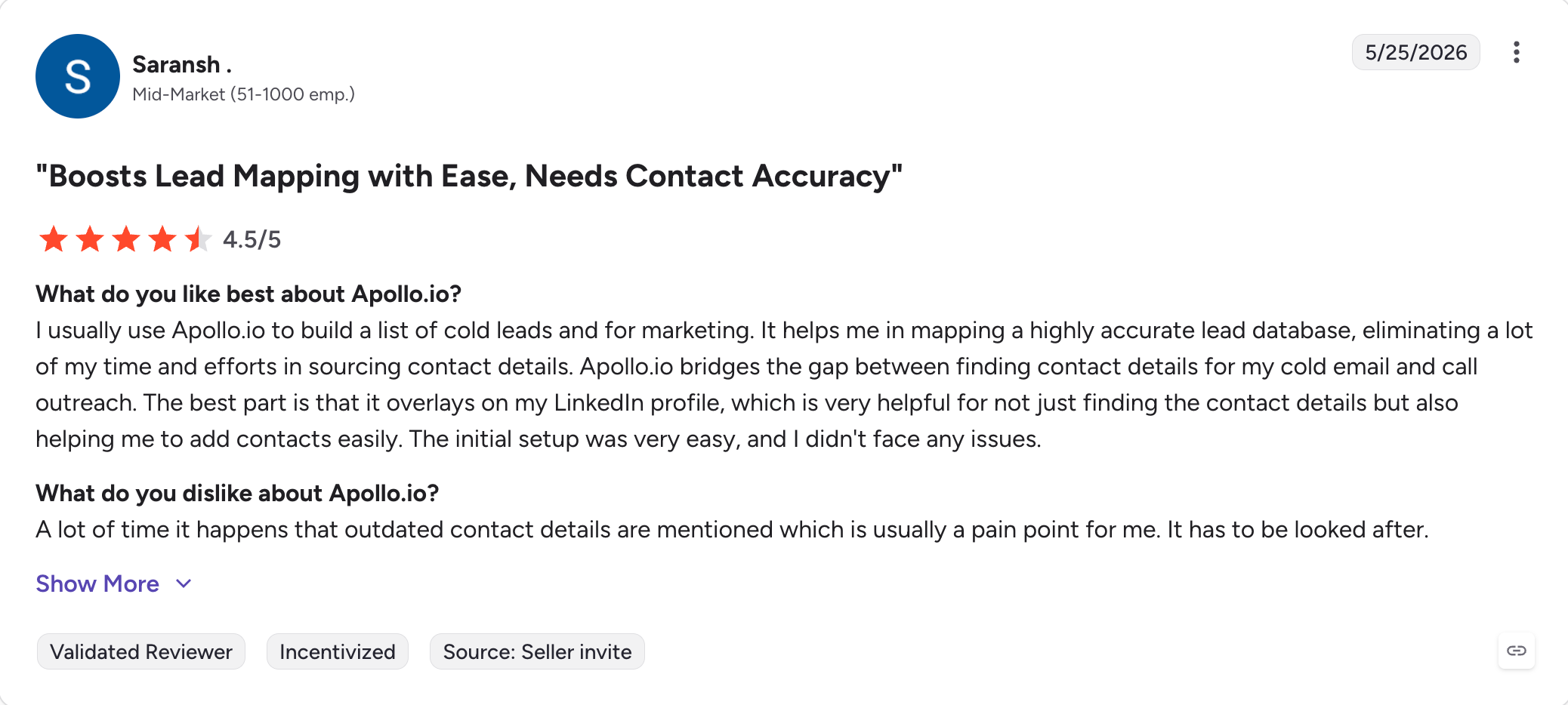
Reviews:
Apollo vs Salesforge:
Apollo is data-first with sequencing bundled; Salesforge is sequencing-first with flat-rate multichannel.
Dimension
Apollo.io
Salesforge
Pricing model
Per-user pricing starting at $49/user/month (billed annually)
Flat-rate pricing from $40/month (billed annually) with unlimited mailboxes
Cost at 5 users
$245/month or more before enrichment credit overages
$80/month on the Growth plan (billed annually)
LinkedIn automation
Manual task queues (native automation removed on January 30, 2026)
Native support for six LinkedIn actions inside conditional sequences
Built-in contact database
275M+ contacts with credit-based usage
Available through Leadsforge (separate subscription with shared login)
AI SDR
Apollo AI Assistant (AI feature, not an autonomous SDR)
Agent Frank add-on ($499/month, billed annually)
Best for
Teams that want lead data and outreach in a single platform
Growth-stage teams looking for flat-rate multichannel outbound
Apollo wins on built-in data depth for solo users and often suits teams that want prospecting tools and outreach under one roof before they scale.
Salesforge wins on per-user math and native LinkedIn once the team crosses four seats, and it becomes stronger when teams need fewer manual data entry steps.
It offers unlimited mailboxes, unlimited warm-up, unlimited email sending on higher tiers, and a master inbox that consolidates replies across every mailbox you connect. Agencies running outbound for multiple clients typically pick Smartlead first for the infrastructure math, then layer other tools on top for LinkedIn or personalization.
It doesn't offer LinkedIn automation, doesn't include a dialer, and doesn't run multichannel sequences; it specializes hard for one workflow (cold email at scale) and does that workflow well.
Core features:
Unlimited mailboxes across all paid tiers
Unlimited warm-up included in every plan
Sub-sequences with branching logic on email replies
Master inbox for consolidated reply management across all mailboxes
Unlimited mailboxes on paid plans eliminate mailbox-count limits
Email only, with no LinkedIn automation, dialer, or multichannel outreach
Unlimited email warm-up included at no extra cost
Personalization features are less advanced than those in Lemlist and Salesforge
Agency workspaces support unlimited client accounts on Pro and higher plans
Reply management is less polished than Salesforge's Primebox
$39/month starting price is among the lowest in this comparison
No built-in contact database; separate enrichment tools are required
Pricing:
Plan
Price
What's included
Basic
$39/month (billed annually)
2,000 active leads, 6,000 emails/month, and unlimited email warm-up
Pro
$94/month (billed annually)
30,000 active leads, 150,000 emails/month, and agency features
Custom / Unlimited Smart
$174/month (billed annually)
Unlimited active leads, unlimited emails, and the complete agency feature set
Reviews:
Smartlead vs Salesforge:
Smartlead specializes in cold-email-only infrastructure for agencies running high-volume outbound campaigns; Salesforge covers email plus native LinkedIn in one subscription.
Dimension
Smartlead
Salesforge
Channel scope
Email only
Native email + LinkedIn multichannel
Pricing entry
$39/month (billed annually)
$40/month (billed annually)
Warm-up
Unlimited warm-up included
Unlimited Warmforge warm-up included
Agency workspaces
Purpose-built for agencies managing 50+ client subaccounts
Available on the Growth plan
AI personalization
Add-on AI writer focused on English
AI personalization in 21+ languages with the Localized Greeting variable
Best for
Agencies running cold email at scale
Growth-stage teams combining email and LinkedIn outreach
Smartlead is the answer when the workflow is cold-email-only across many client accounts.
Salesforge is the answer when the workflow needs LinkedIn or unified reply management, while email remains the primary outbound channel for teams choosing Smartlead.
5. Instantly: Best for High-Volume Cold Email
Instantly's core pitch is volume: unlimited inboxes, a private deliverability network for warmup, and pricing that scales cheaper than most sequence platforms for teams sending 100,000+ emails a month.
It's popular with outbound sales teams that prioritize volume, along with agencies and lead generation shops that need infrastructure over multichannel sophistication.
However, the product has fragmented lately. For starters, what used to be one subscription is now three separate products (Outreach, Credits for their built-in B2B database, and CRM), each billed independently.
Adding all three approaches the price of Salesforge's Growth plan for a team with substantially less multichannel functionality, and sales efforts become harder to manage when the stack is split across subscriptions.
Core features:
Unlimited email inboxes on all paid tiers
Private deliverability network for warmup and inbox rotation
AI-generated email variants at every tier, with AI tools that can support personalized messaging
Unibox for reply management across all mailboxes
Instantly Credits: separate subscription for B2B contact database access
Instantly CRM: separate subscription for lead management and pipeline management
Pros and cons:
✅ Pros
❌ Cons
Lowest entry price in this comparison at $37.60/month on the annual Growth plan
Email only, with no native LinkedIn automation
Unlimited inboxes included on every paid plan
The complete workflow (Outreach, Credits, and CRM) requires three separate subscriptions
Private deliverability network provides a meaningful advantage for high-volume senders
Personalization capabilities are less advanced than Salesforge and Lemlist
AI-generated email variants included across all paid plans
Support responsiveness is a recurring complaint in user reviews
Pricing:
Plan
Price
What's included
Growth (Annual)
$37.60/month (billed annually)
Unlimited email accounts, 1,000 active leads, and 5,000 emails/month
Hypergrowth (Annual)
$77.60/month (billed annually)
25,000 active leads, 100,000 emails/month, and advanced analytics
Light Speed
Custom pricing
Higher-volume plans with dedicated sending infrastructure
Instantly also sells Credits (B2B database) and CRM as separate subscriptions.
Reviews:
Instantly vs Salesforge:
Instantly is cheaper on entry price for high-volume cold email, where email timing and deliverability directly affect outbound performance at scale; Salesforge is more capable on multichannel and personalization.
Dimension
Instantly
Salesforge
Channel scope
Email only
Native email + LinkedIn multichannel
Product structure
Three subscriptions (Outreach + Credits + CRM)
One subscription for the outreach platform
Pricing entry
$37.60/month (billed annually)
$40/month (billed annually)
Full-stack cost
Adding Credits and CRM brings total cost close to Salesforge Growth pricing
$80/month on the Growth plan (billed annually), including the full outreach stack
Deliverability infrastructure
Private deliverability network for warm-up and inbox rotation
Warmforge warm-up with dynamic ESP matching
Best for
High-volume teams focused on email outreach
Growth-stage teams that want email and LinkedIn outreach in one platform
Instantly wins on cheapest email-only entry. Salesforge wins once LinkedIn or the full data plus CRM stack enters the conversation.
6. Lemlist: Best for Visual Personalization
Lemlist made a name on one product feature: rendered images with the prospect's name, company logo, or headshot embedded per-send.
That visual personalization angle is still Lemlist's clearest differentiator, and creative-led SMB teams (agencies, founders, marketing-heavy sales orgs, and marketing teams) consistently rate it their favorite because it supports more tailored outreach and relationship building.
However, the downside shows up on the invoice. Lemlist bills per seat, and LinkedIn access is gated to the higher Multichannel Expert tier, so a five-person team running email + LinkedIn ends up paying north of $495 per month once seats and channels stack.
That's roughly six times Salesforge's flat-rate Growth pricing for a comparable workflow.
Core features:
Visual personalization: dynamic images and videos rendered per prospect
Email + LinkedIn + calls in Multichannel Expert tier, with scheduling tools to coordinate meetings inside the workflow
Icebreaker AI for opener generation and more personalized outreach
Warmup available via lemwarm (separate product, additional cost)
HubSpot, Salesforce, Pipedrive integrations
Pros and cons:
✅ Pros
❌ Cons
Industry-leading visual personalization with custom images and videos
Per-seat pricing becomes expensive as teams grow
Multichannel Expert combines email, LinkedIn, and calling in one subscription
LinkedIn features are only available on the top tier, while email-only teams still pay $59/seat/month (billed annually)
Icebreaker AI generates personalized opening lines at scale
Reviewer feedback suggests deliverability at high volume is less consistent than Salesforge or Smartlead
Highly rated template library and A/B testing capabilities
Lemwarm is billed as a separate product
Pricing:
Plan
Price
What's included
Email Pro
$59/seat/month (billed annually)
Email sequences, personalization, and support for lemwarm (available as an add-on)
Multichannel Expert
~$99/seat/month (billed annually)
Email, LinkedIn, and calling in one plan, including LinkedIn automation
Outreach Scale
Custom pricing
Enterprise features, dedicated support, and custom scaling options
Reviews:
Lemlist vs Salesforge:
Both tools run multichannel email + LinkedIn, but with opposite pricing models.
Dimension
Lemlist
Salesforge
Pricing model
Per-seat pricing: $59/seat/month for email, ~$99/seat/month for multichannel (both billed annually)
Flat-rate pricing: Pro at $40/month and Growth at $80/month (billed annually)
Cost for a 5-user multichannel team
~$495/month
$80/month
Personalization strength
Advanced visual personalization with dynamic images and videos for each prospect
Text-based AI personalization in 21+ languages with the Localized Greeting variable
LinkedIn access
Available only on the Multichannel Expert tier
Included with Pro (1 LinkedIn sender) and unlimited on Growth
Warm-up
Lemwarm sold as a separate product
Warmforge included with every paid subscription
Best for
Creative-led SMB teams with 1–3 users
Growth-stage teams with 5+ users
Lemlist keeps the visual-personalization crown. Salesforge is the pricing answer once team size crosses three seats.
7. Reply.io: Best for Multichannel with Add-Ons
Reply.io publishes an $89/user/month Multichannel plan on its pricing page.
That's the starting price, and the add-on model can still make sense if your outbound strategy depends on keeping email, LinkedIn, and calling motions in one place.
The invoice is different once LinkedIn (+$69) and calls (+$29) get added as separate per-sender modules, plus Jason AI SDR (Reply's autonomous agent) on top.
If you're a team of three running full multichannel with the AI SDR, the total crosses $500-600 per month, which is meaningful because that's roughly the same as Salesforge Growth + Agent Frank for a comparable workflow.
Core features:
Email sequences with A/B testing and analytics
LinkedIn automation as a separate add-on module (+$69/sender/month)
Calls as a separate add-on module (+$29/sender/month) for managing phone calls in the workflow
Jason AI SDR: autonomous agent (separate subscription) that can help engage potential customers across channels
HubSpot, Salesforce, Pipedrive integrations
Reply's built-in B2B database
Pros and cons:
✅ Pros
❌ Cons
Supports email, LinkedIn, calls, and SMS from a single platform
LinkedIn and calling are paid add-ons, pushing true multichannel pricing to $187/user/month or more
Jason AI SDR enables autonomous outreach workflows
The complete stack (Multichannel, LinkedIn, Calls, and Jason AI) is among the most expensive in this comparison
Native CRM integrations for HubSpot, Salesforce, and Pipedrive
User reviews regularly mention unexpected billing charges and cancellation friction
Built-in B2B contact database included on higher-tier plans
AI personalization is less capable than Salesforge's support for 21+ languages
Pricing:
Plan
Price
What's included
Email Volume
$49/month (billed annually)
1,000 contacts, 5,000 emails per month, and email sequences
Multichannel (Base)
$89/user/month (billed annually)
Email sequences, with LinkedIn available as a $69/user/month add-on and calling as a $29/user/month add-on
Agency
$166/month (billed annually)
Support for multiple client accounts and agency management features
Jason AI SDR
Custom pricing
Autonomous AI SDR available as a separate subscription
Reviews:
Reply.io vs Salesforge:
Similar multichannel workflows, opposite pricing structures.
Dimension
Reply.io
Salesforge
Multichannel pricing
$89/user/month base + $69/user/month for LinkedIn + $29/user/month for calls = $187/user/month (all billed annually)
$80/month on the Growth plan (billed annually), with all supported channels included
Add-on model
LinkedIn and calling sold as separate per-user add-ons
Native email and LinkedIn in one subscription
Cost at 5 users (full multichannel)
~$935/month before adding Jason AI SDR
$80/month
AI SDR
Jason AI SDR available as a separate subscription
Agent Frank ($499/month billed annually) with a dedicated account manager
Warm-up
Not included in the base plan
Warmforge included with every paid subscription
Best for
Teams that need SMS and calling alongside email outreach
Growth-stage teams looking for predictable flat-rate multichannel pricing
Reply.io is the pick when SMS and native calling matter. Salesforge is the pick when the total cost of ownership matters more than the sticker price.
8. Klenty: Best for Cadences and CRM Sync
Klenty positions itself squarely as a sales engagement platform, which puts it closer to Outreach or Salesloft than to Salesforge or Instantly.
The distinguishing feature is CRM depth: bidirectional sync with Salesforce and HubSpot is a first-class citizen, not an integration afterthought.
It can also support inbound leads inside that same CRM-centered workflow. Reps who live inside their CRM and treat outreach as one activity logged against a lead often prefer Klenty for that reason.
It's less built for high-volume cold email than Smartlead or Instantly and less LinkedIn-multichannel-native than Salesforge, but sales reps often prefer the CRM hygiene story.
Core features:
Multi-step cadences across email, calls, LinkedIn, and SMS
Bidirectional Salesforce and HubSpot sync, so CRM data and activity history stay aligned across systems
Klenty Cadence Playbook library
Parallel dialer with local presence and call recording
Reply detection and out-of-office handling
Sales workflow automation (task creation, opportunity updates), with CRM tools tracking interactions with qualified leads to avoid missed opportunities
Pros and cons:
✅ Pros
❌ Cons
Deep two-way CRM integrations with Salesforce and HubSpot
Per-user pricing becomes expensive compared with flat-rate alternatives
Supports email, calls, LinkedIn, and SMS from one platform
LinkedIn automation is less polished than Salesforge or Lemlist
Parallel dialer with local presence included on Pro plans and above
Cold email deliverability at high volume trails Smartlead and Instantly
Playbook library helps new reps launch cadences more quickly
Steeper onboarding and learning curve than lighter outreach tools
Pricing:
Plan
Price
What's included
Startup
$50/user/month (billed annually)
Basic cadences, email outreach, and LinkedIn tasks
Growth
$70/user/month (billed annually)
Parallel dialer, CRM integrations, and advanced analytics
Pro
$100/user/month (billed annually)
Custom workflows, dedicated support, and advanced team features
Reviews:
Klenty vs Salesforge:
Similar multichannel workflows from different angles: Klenty is CRM-first, Salesforge is outreach-first.
Dimension
Klenty
Salesforge
Product positioning
Sales engagement platform with a CRM-first approach
Multichannel outreach platform built for outbound teams
CRM sync
Deep bidirectional Salesforce and HubSpot integration
Native integrations for HubSpot, Pipedrive, and LinkedIn Sales Navigator, plus API access for other systems
Pricing model
Per-user pricing starting at $50/user/month (billed annually)
Flat-rate pricing: Pro at $40/month or Growth at $80/month (both billed annually)
Cost at 5 users
$250/month or more
$40–$80/month
LinkedIn automation
Basic LinkedIn tasks within cadences
Native support for six LinkedIn actions with conditional sequences
AI personalization
English-first AI personalization
AI personalization in 21+ languages with the Localized Greeting variable
Best for
Salesforce-centric organizations where CRM data quality is the top priority
Growth-stage teams running native email and LinkedIn outreach from one platform
Klenty wins when CRM sync depth is the priority. Salesforge wins on multichannel sophistication and flat-rate math.
9. ZoomInfo: Best for Enterprise Data Coverage
ZoomInfo is not a like-for-like comparison with the other tools in this ranking.
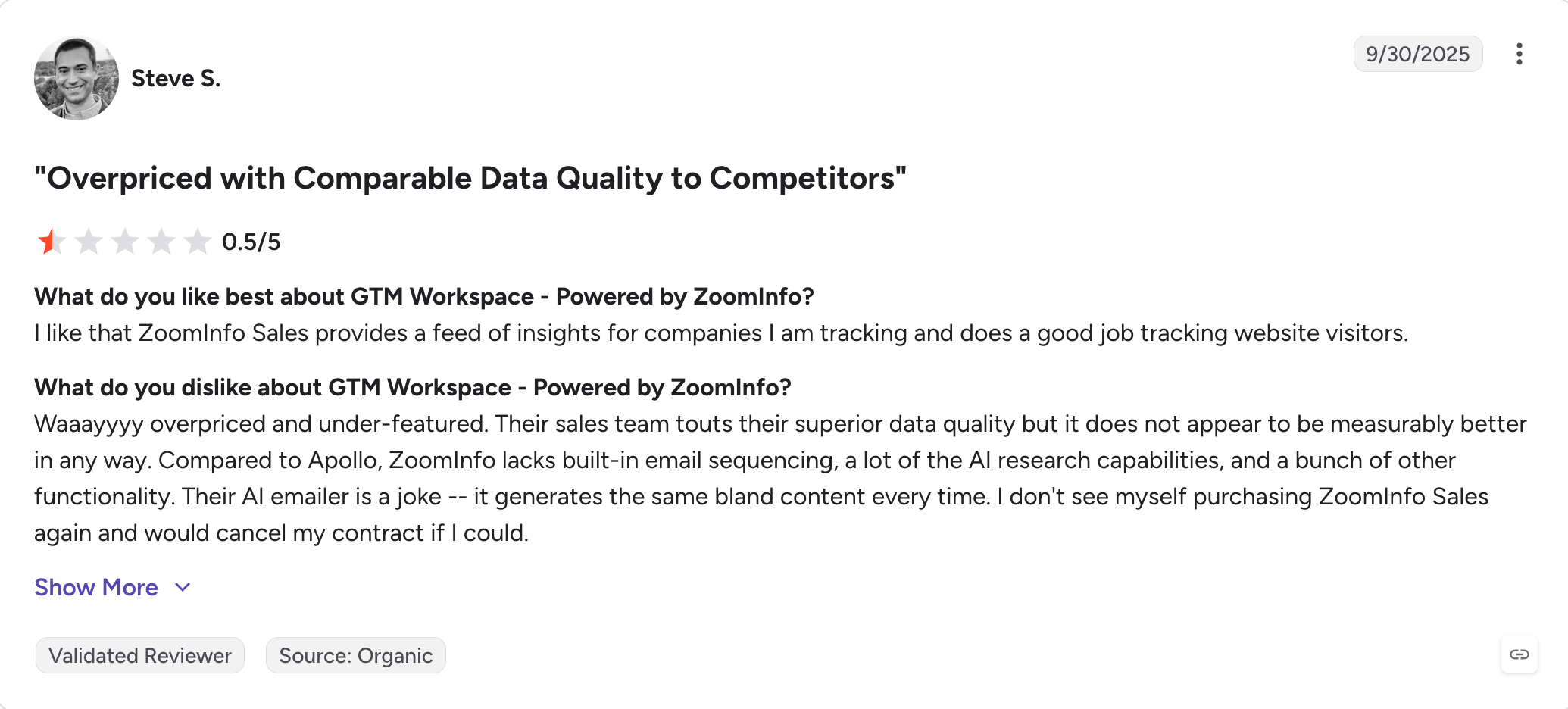
It's a B2B data platform with sales engagement bolted on, sold enterprise-first, priced by custom contract, and used most heavily by teams with dedicated data budgets separate from the outreach budget, especially those running large outbound campaigns tied to broader revenue growth goals.
The pitch is the size and freshness of the contact database (321M+ contacts, intent signals, technographic data), the depth of integrations with Salesforce, HubSpot, and modern data warehouses, and the maturity of the engagement suite that layers on top, where buyer intent and account intelligence can provide actionable insights for enterprise teams.
Core features:
321M+ B2B contact database with high refresh cadence
Intent signals (topic-level intent via Bombora plus first-party signals) that help teams track performance across account engagement priorities
Technographic data (what software companies use)
Engagement suite: email sequences, dialer, LinkedIn tasks, though it is not a dedicated conversation intelligence layer like more call-analytics-focused tools
Deep Salesforce, HubSpot, and Marketo integrations
Chat, ABM, and workflow automation modules
Pros and cons:
✅ Pros
❌ Cons
One of the largest and most frequently refreshed B2B contact databases available
Custom pricing only, with a significantly higher entry cost than Apollo or Leadsforge
Bombora-backed intent signals provide detailed topic-level buying intent
Annual and multi-year contracts are standard, with limited billing flexibility
Enterprise-grade integrations, account-based marketing, and workflow automation
Implementation and onboarding typically take weeks rather than days
Industry-leading technographic and organizational chart data
The engagement suite is less capable than dedicated outreach platforms
Pricing:
Plan
Price
What's included
SalesOS Professional
Custom pricing
B2B contact database, sales engagement tools, and CRM integrations
SalesOS Advanced
Custom pricing
Everything in Professional, plus Bombora-powered intent signals and organizational chart data
SalesOS Elite
Custom pricing
Everything in Advanced, plus technographics, chat capabilities, and ABM modules
Reviews:
ZoomInfo vs Leadsforge:
Both are B2B data platforms sold to different buyer tiers: ZoomInfo is enterprise-first with a multi-year contract, Leadsforge is credit-based and month-to-month.
Dimension
ZoomInfo
Leadsforge
Database size
321M+ contacts
500M+ contacts
Pricing model
Custom pricing with annual, typically multi-year contracts
$49/month (billed annually) or credit-based pricing, with 100 free credits on signup
Enrichment approach
Single-source contact database
Waterfall enrichment across multiple data providers for each lookup
Intent signals
Bombora topic-level intent combined with first-party engagement data
Event-based Signals, including Job Changes, Acquisitions, Funding, and Investors, with supporting evidence for each match
AI qualification
Not available as a standalone feature
AI Prompt Qualification using custom prompts that return a yes/no decision with reasoning for each lead
Outreach handoff
Built-in engagement suite, though less advanced than specialized outreach platforms
Works alongside Salesforge through a shared login (separate subscription) or exports to any outbound platform
Onboarding time
Typically several weeks with enterprise implementation
Self-serve setup, usually completed the same day
Best for
Enterprise teams with dedicated data budgets and mature ABM programs
Growth-stage teams looking for flexible credit-based pricing and a native handoff to Salesforge
Teams comparing both usually split by scale: ZoomInfo is better for enterprise teams optimizing more revenue through data coverage, while Leadsforge is better for flexible sourcing.
10. Cognism: Best for GDPR-Compliant EU Data
Cognism's is the B2B data platform built around European GDPR and CCPA compliance rather than retrofitted to it.
If you're selling into the UK and EU, Cognism's Diamond Data (phone-verified mobile numbers) and its Do-Not-Call list checks are the most legally defensible option in this ranking, helping teams reach potential customers in compliance-heavy EU markets with more confidence.
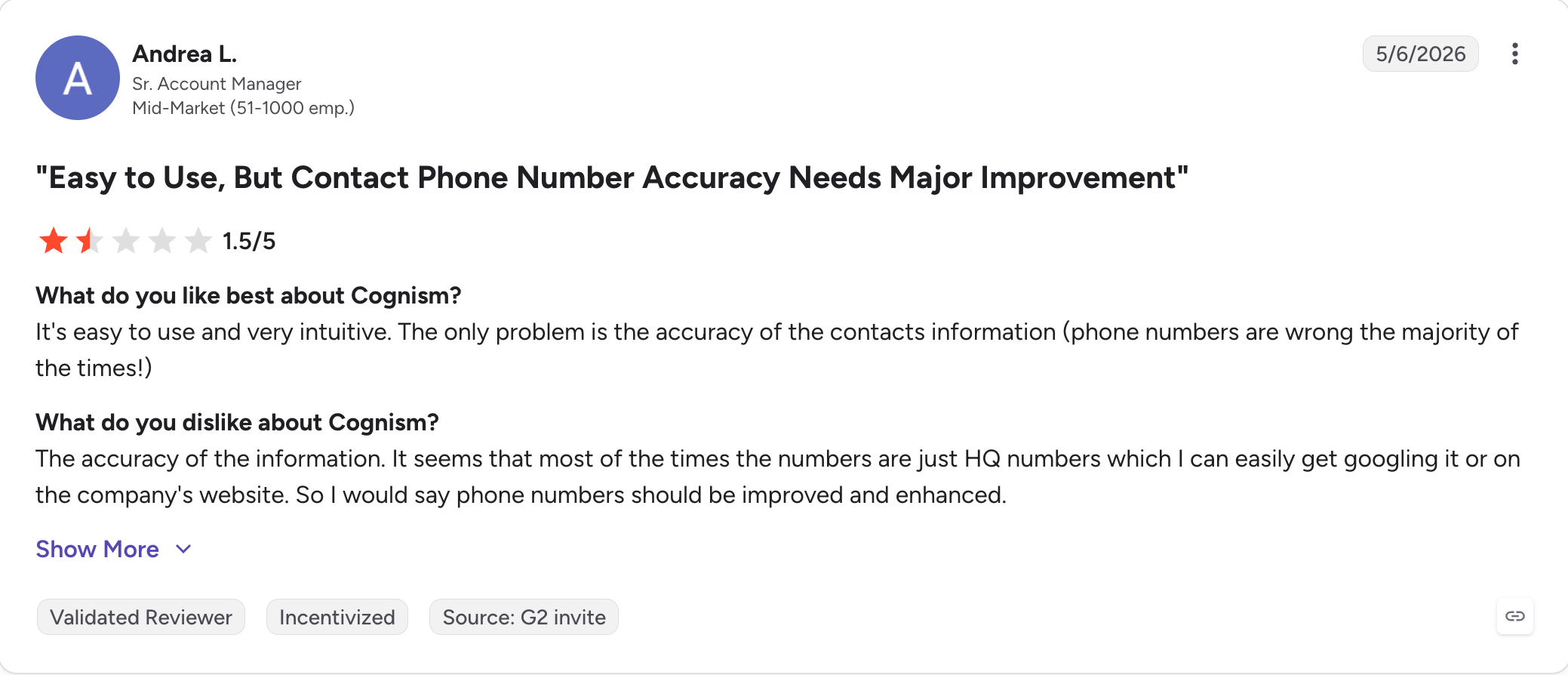
The downside is US database depth, which lags Apollo and ZoomInfo, and pricing that's custom-quoted and skews enterprise.
Growth-stage teams selling exclusively into North America usually don't need Cognism's compliance apparatus.
Growth-stage teams selling into Europe should treat Cognism as a shortlist requirement when evaluating outbound tools.
Core features:
GDPR- and CCPA-compliant B2B contact database
Diamond Data: phone-verified mobile numbers
Notified events, including trigger events like job changes, funding, and acquisitions
Intent signals via Bombora that help prioritize target accounts
Industry-leading GDPR and CCPA compliance for EU and UK outbound sales
US contact database is not as deep as Apollo or ZoomInfo
Diamond Data provides phone-verified mobile numbers
Custom enterprise pricing results in a high entry cost
Notified events surface buying signals for timely outreach
No native outreach platform, so it must be paired with a sales engagement tool
Deep integrations with Outreach, Salesloft, HubSpot, and Salesforce
The interface feels less polished than Apollo
Pricing:
Plan
Price
What's included
Platinum
Custom pricing
Access to Cognism's contact database, plus Diamond Data credits for phone-verified mobile numbers
Diamond
Custom pricing
Everything in Platinum, plus full intent signals and unlimited data views
Reviews:
Cognism vs Leadsforge:
Both are B2B data platforms with different regional strengths and pricing models. Cognism is UK/EU-focused enterprise; Leadsforge is global with credit-based flexibility.
Dimension
Cognism
Leadsforge
Regional strength
Strong UK and European coverage with phone-verified Diamond Data mobile numbers
Global database with 500M+ contacts
Pricing model
Custom pricing geared toward enterprise teams
$49/month (billed annually) or credit-based pricing, with 100 free credits on signup
Compliance workflow
Built around GDPR and CCPA compliance, with Do-Not-Call list checks built into search
Supports standard sender-side compliance workflows
Buying signals
Notified events combined with Bombora topic-level intent data
Event-based Signals for Job Changes, Acquisitions, Funding, and Investors, with supporting evidence for every match
AI qualification
Not offered as a standalone feature
AI Prompt Qualification uses custom prompts to return a yes/no decision with reasoning for each lead
Enrichment approach
Native contact database validated with Diamond Data
Waterfall enrichment across multiple data providers for each lookup
Outreach handoff
Designed to work with Outreach, Salesloft, or Salesforge
Shared login with Salesforge (separate subscription)
Best for
Teams selling into Europe with strict GDPR requirements
Growth-stage teams, especially those focused on North America, that want flexible credit-based pricing
For EU-focused teams with strict GDPR requirements, Cognism remains the shortlist choice. For NA-focused teams or global teams that want credit-based pricing and native Salesforge handoff, Leadsforge is the more cost-effective option.
Final Verdict
The single biggest lesson from putting this ranking together is that outbound tool comparisons based on published starting prices are close to useless in 2026.
This invoice-versus-sticker-price gap is exactly why Salesforge earns position one.
The invoice matches the pricing page: flat-rate Pro at $40/month billed annually, Growth at $80/month billed annually, warmup included, multichannel native, unlimited mailboxes, unlimited LinkedIn senders on Growth.
For a growth-stage team on email + LinkedIn, no other tool in this ranking produces a comparable workflow at a comparable price. For teams building outbound from scratch, Leadsforge covers lead search.
For teams adding autonomous pipeline, Agent Frank runs the AI SDR layer at $499/month billed annually.
Outbound sales software is any platform that helps sales teams initiate contact with prospects who haven't asked to be contacted. That includes cold email tools, LinkedIn automation, dialers, sales engagement platforms, and autonomous AI SDRs. The category has fragmented in 2026 into three sub-layers: data platforms, engagement platforms, and AI-agent platforms.
2) Is outbound sales software the same as a CRM?
No. A CRM stores customer and pipeline data; outbound sales software runs the outreach that fills the CRM. Some tools (Apollo, HubSpot Sales Hub) blur the line, but the workflows are different, and most teams use both.
3) What are the best outbound sales tools for a small team?
For a solo user or small team (1-3 users), Salesforge Pro ($40/month billed annually) covers email + LinkedIn multichannel with warm-up included, which is the most consolidated stack at that team size. Lemlist Email Pro ($59/seat/month billed annually) is the alternative if visual personalization matters more than multichannel. For pure cold email volume, Smartlead Basic ($39/month billed annually) or Instantly Growth ($37.60/month billed annually) both work.
4) How much does outbound sales software cost?
Entry pricing in this ranking runs from $37.60/month (Instantly Growth billed annually) to custom enterprise pricing (ZoomInfo, Cognism). Flat-rate tools like Salesforge and Smartlead stay predictable as teams grow; per-user tools like Apollo, Klenty, and Lemlist scale linearly with headcount. Add-ons (LinkedIn, calls, data credits, warmup) meaningfully affect total cost.
5) What's the difference between cold email software and outbound sales software?
Cold email software (Smartlead, Instantly) specializes in email-only sending infrastructure at scale. Outbound sales software (Salesforge, Apollo, Reply.io) is broader: email plus LinkedIn, calls, sequencing logic, unified inbox, and often AI personalization. Cold email software is a subset of outbound sales software.
6) Does outbound sales software still work in 2026 with all the deliverability changes?
Yes, but only if the tool includes warm-up infrastructure and supports mailbox rotation. Salesforge (Warmforge included), Smartlead (unlimited warm-up), and Instantly (deliverability network) build for the 2026 environment; tools without dedicated warm-up have to pair with a separate warmup product (lemwarm, Warmforge standalone).
Book more meetings on autopilot
Set up in minutes. No per-seat pricing. No commitment.
Compare 7 GMapsExtractor alternatives for Google Maps lead scraping. See which tools offer better enrichment, pricing, API access, and outreach features in 2026.
Compare 5 Outscraper alternatives for local lead generation. See how Leadsforge, SyncGTM, LocalProspects.ai, Apify, and Scrap.io compare on leads and pricing.








.jpg)

.jpg)