I have watched strong campaigns fall apart for one reason: a weak email sender reputation. You can write the sharpest cold email of your life, but if mailbox providers do not trust the address it came from, it lands in spam or gets blocked before anyone reads a word.
Sender reputation is the running trust score that Gmail, Outlook, and every other provider keep on your domain and sending IP. In this guide, I break down what that score is in 2026, the seven tools I use to check it, and the fixes that actually move it.
Sender reputation is the trust score every mailbox provider keeps on the address you send from.
Think of it as a credit score for email. Gmail, Outlook, Yahoo, and the rest watch how you send and how people react, then decide whether you belong in the inbox.
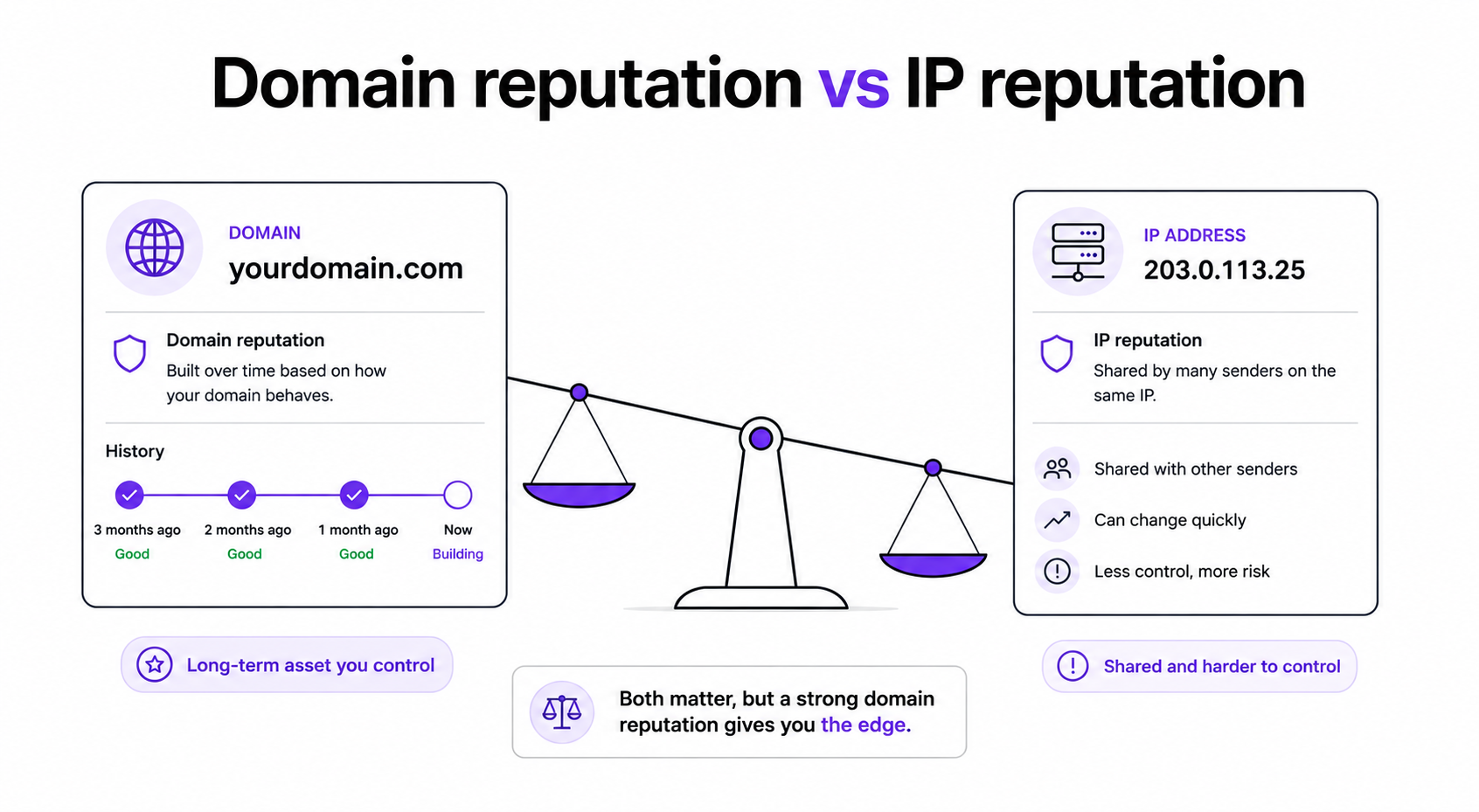
Two scores sit underneath that trust: domain reputation and IP reputation. Domain reputation follows your sending domain wherever it goes, while IP reputation is tied to the server address your mail leaves from.
In 2026, domain reputation carries more weight for most cold senders. Domains warm up, rotate, and burn faster than IPs, so providers lean on domain history to judge you.
If you run dedicated IPs, the IP score matters more, because that address is yours alone. On shared setups, you inherit some of the pool behavior, so the domain becomes your cleaner signal.
A healthy score is the difference between the primary inbox and a spam folder nobody opens.
Deliverability studies put roughly one in five cold emails as never reaching the inbox, and reputation is usually the reason. When your score drops, providers throttle you, route messages to spam, or block them outright.
When the score is healthy, the same sequence lands in primary, gets opened, and earns replies. If you want the full playbook, the step-by-step guide on how to boost email deliverability pairs directly with this one.
Reputation is one piece of the wider email deliverability picture, so I always treat the two together rather than in isolation.
Providers do not guess. They score a handful of measurable behaviors, and each one is within your control.
Google and Yahoo made these thresholds explicit with their bulk sender rules, and 2026 enforcement is stricter than ever. Miss them and the filter decides for you.
You cannot fix what you cannot see, so these are the seven tools I open when I want a real read on my reputation. I start with the free provider tools, then layer in blacklist and infrastructure checks.
Google Postmaster Tools is the free window into how Gmail rates your domain, and it is the first place I look.
You get a domain reputation band of Good, Medium, Low, or Bad, plus spam rate, IP reputation, and authentication results. Verify your domain once, and the daily dashboards start filling in.
The catch is that most senders never set it up. Turning it on takes minutes and gives you Gmail's own verdict on your sending.
Microsoft SNDS is the free equivalent for Outlook, Hotmail, and Microsoft 365 inboxes.
Instead of a single number, it shows complaint rates, spam trap hits, and daily volume per IP. Register and verify your IPs to see the data.
I check it weekly because rising complaints or trap hits here are an early warning before Microsoft starts filtering.
Validity Sender Score rates your sending IP from 0 to 100 against other senders, so it is a quick gut check.
Above 80 is healthy, and those senders reach inboxes far more often than IPs sitting below 70. Below that, it is time to review bounces, complaints, and volume.
It is IP-focused, so I always pair it with the domain checks above for the full picture.
MxToolbox scans your domain and IP against a long list of blacklists and checks your DNS setup.
Free lookups cover the major lists, and paid monitoring adds alerts when something changes. It also flags SPF, DKIM, and DMARC errors that quietly hurt delivery.
For a quick one-off check, the free IP and domain blacklist checker does the same job in seconds.
Spamhaus runs some of the most widely used blocklists in email, so a listing there reaches far.
Its blocklist tester tells you whether your domain or IP is listed, and I check it before any big send. A Spamhaus listing is serious and worth resolving fast.
Getting listed usually points to a deeper problem: a dirty list, a spam trap, or a sudden volume spike.
Cisco Talos pulls threat and reputation data from a massive global sensor network.
It rates your domain and IP as Good, Neutral, or Poor, and major security systems use that data to filter mail. A Poor rating reaches well beyond one provider.
If Talos flags you, I treat it as a signal to slow down and clean up before sending more.
The six tools above tell you where you stand. Warmforge is where I actually build and hold reputation, and it is the tool I lean on daily.
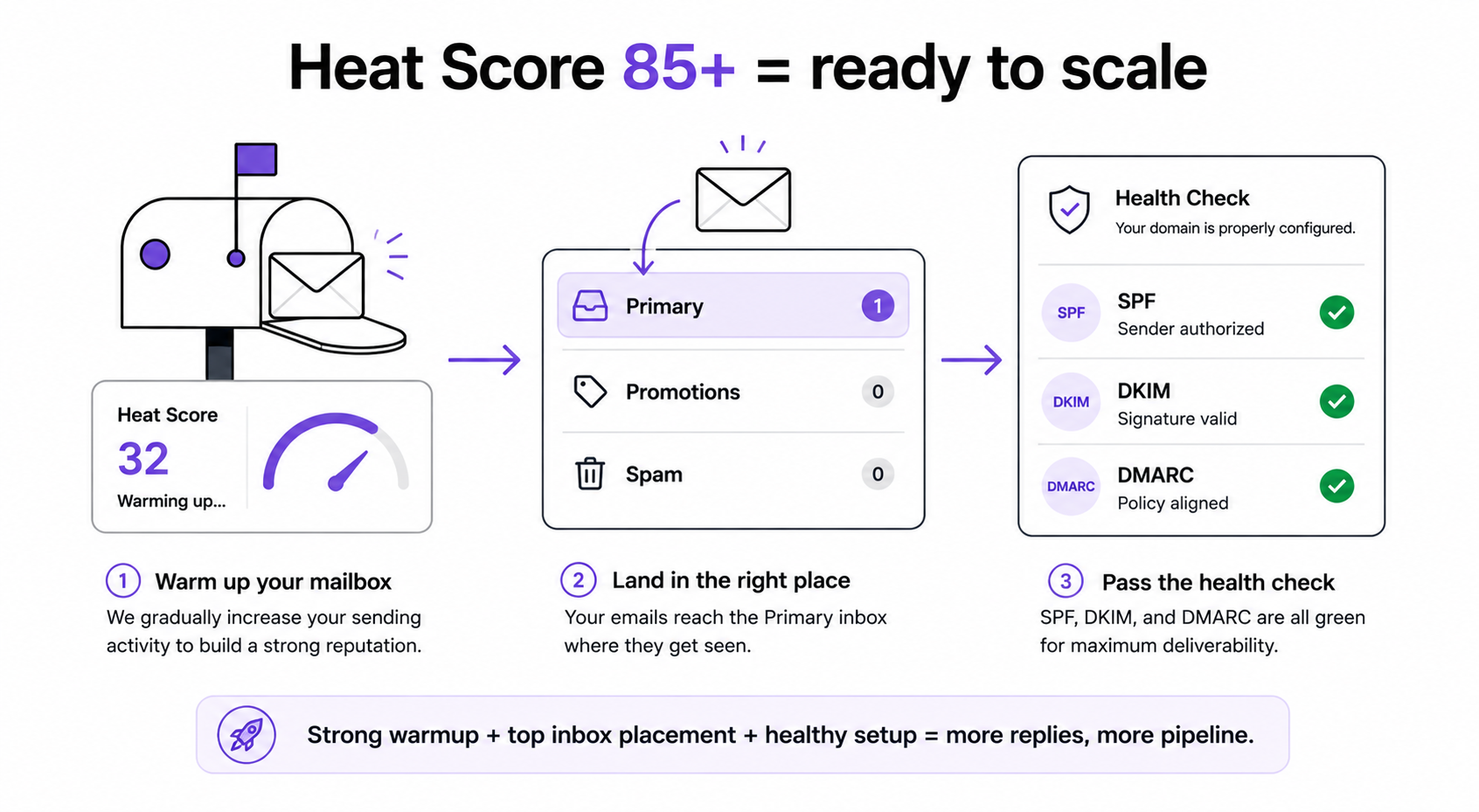
Every mailbox gets a Heat Score, a live read on reputation strength over time. A Heat Score of 85 or higher tells me a mailbox is healthy enough to scale sending on.
Warmforge runs one-click AI warm-up from a premium pool of aged Google Workspace and Microsoft 365 mailboxes, with multilingual activity so it looks natural to providers worldwide. Inbox Placement Tests then show whether real emails land in primary, promotions, or spam across Google, Outlook, and others.
Health Checks watch your DNS, MX, and blacklist status and alert you the moment something slips. So instead of stitching six dashboards together, I get warmup, monitoring, and placement testing in one deliverability center.
Warmforge is included free with every Salesforge plan, with unlimited warmup slots, and it also runs standalone. That is the part competitors rarely match: a premium email warmup product bundled in rather than sold as an add-on. You can also try a free inbox placement test before you commit.
Checking is only half the job. These are the moves that raise a weak score and protect a strong one. I run them together, because reputation responds to the whole system rather than any single fix.
SPF, DKIM, and DMARC are the baseline. They prove the mail is really from you and stop spoofers from burning your domain.
DMARC changed in 2026 with DMARCbis, so review your records against the new tags and move toward an enforced policy once your reports look clean.
New mailboxes need a warmup runway before real sends, usually around two weeks at minimum. But warmup is not a one-time event.
I keep warmup always on in the background so reputation holds even when volume dips. Warmforge handles this automatically and tracks the Heat Score as it climbs.
Bounces and spam traps do more damage than almost anything else. A single scraped list can wreck a domain in a day, so I validate every contact before sending.
Building from accurate data matters just as much. Leadsforge pulls from 500M+ B2B contacts with waterfall enrichment, so records are verified across multiple sources instead of one.
Its Signals feature goes further. I can build lists from real buying events like funding rounds, acquisitions, job changes, and new investments. Fresh, in-market contacts bounce less and engage more, which protects the score.
How you send matters as much as who you send to. A few defaults protect reputation at scale.
Salesforge applies all of these by default, so I am not hand-tuning each one before every campaign.
Replies feed engagement, and engagement feeds reputation, so missing them is a slow leak.
Primebox brings every email and LinkedIn reply into one inbox, with Auto-Pilot and Co-Pilot handling so nothing sits unanswered. When I want to scale further, Agent Frank runs the whole workflow as an autonomous AI SDR, from prospecting to booking meetings, 24/7.
Here is how the seven tools line up when I am deciding which to open first.
Most teams bolt reputation tools onto a sending tool. The Forge Stack keeps them together, which is the whole point.
Sending is a solved problem in 2026. The real fight is deliverability and reply management, and that is where a connected stack wins.
No other setup I have used puts infrastructure, warmup, lead data, outreach, and an AI SDR under one login. That is the email infrastructure plus Warmforge, Leadsforge, Salesforge, and Agent Frank, all in one place.
Three infrastructure options sit under that same login: Mailforge for shared IPs, Infraforge for dedicated IPs with pre-warmed mailboxes, and Primeforge for real Google Workspace and Microsoft 365 mailboxes with ESP matching. I move between them as scale and budget shift, without migrating.
And it runs three ways: my own team operates it, Agent Frank operates it, or a Forge Expert agency operates it. For the deeper mechanics, my cold email deliverability guide goes further.
If you take one thing from this, make it this order of operations.
Start with the free provider tools. Set up Google Postmaster Tools and Microsoft SNDS today, then check Sender Score, MxToolbox, Spamhaus, and Talos on a schedule.
Then stop checking reputation in six places and start building it in one. Continuous warm-up with Warmforge Heat Score tracking, ESP matching, Bounce Shield, sender rotation, and clean lists is what actually moves the number.
For most cold senders, running that on Salesforge with Warmforge included for free is the simplest way to keep landing in the primary inbox. And if old habits are dragging you down, the breakdown of cold email mistakes is worth a read next.
Use the free provider tools first. Google Postmaster Tools shows how Gmail rates your domain, and Microsoft SNDS does the same for Outlook and Microsoft 365. Validity Sender Score rates your IP from 0 to 100, and MxToolbox and Spamhaus check blacklists. Together they give a full read at no cost. Inside the Forge Stack, Warmforge adds a live Heat Score and inbox placement tests on top.
It depends on the scale. On Validity Sender Score, above 80 is healthy and below 70 needs work. In Google Postmaster Tools you want a Good domain reputation band. In Warmforge, a Heat Score of 85 or higher means a mailbox is safe to scale sending on. Across all of them, keep spam complaints under 0.1 percent and bounces under roughly 0.5 percent.
For most cold senders, domain reputation is the bigger lever. Domains warm up, rotate, and burn faster than IPs, so providers lean on domain history. If you run dedicated IPs through something like Infraforge, the IP score matters more, because that address is yours alone. On shared infrastructure, the domain is your cleaner signal.
Plan for a few weeks, not days. Providers judge recent behavior on a rolling window, so you rebuild by sending consistently to engaged contacts and warming mailboxes in the background. Continuous warmup with Warmforge and a clean list speed this up. There is no instant reset, and steady, healthy sending is what moves the score back.
Warmup is essential, but it is not the whole fix. It builds positive activity, yet a dirty list, poor authentication, or spammy content will keep dragging the score down. I pair continuous warmup with SPF, DKIM, and DMARC, list validation, ESP matching, and sender rotation. Warmforge covers warmup and monitoring, and Salesforge applies the sending safeguards.
Run a blacklist lookup. MxToolbox and Spamhaus both check your domain and IP against the major lists in seconds. Salesforge also offers a free IP and domain blacklist checker for a quick one-off scan. If you are listed, fix the root cause first, usually a bad list or a volume spike, then request removal.
.jpg)

.jpg)
.jpg)


