









Salesforge MCP

Run Outbound From Any AI Assistant

Upload leads, launch multichannel campaigns and reply to prospects from Claude, Cursor or any MCP client.
Trusted by 10,000+ Businesses
How AKOOL Reached Over 214K Prospects With a 16%+ Positive Reply Rate
"Outreach at our scale requires speed, segmentation, and precision - Salesforge gave us the infrastructure to do it all at once".
AKOOL Team
How ChannelCrawler Achieved 85.71% Positive Replies With Salesforge, Infraforge & Warmforge
“We’ve been running small campaigns because I want our email infrastructure to stay strong over a long period of time. But the warm-up process, spintax, and inbox management are all winners for us.”
Jake Kitchiner
Co-Founder of ChannelCrawler
How UniteSync Achieved an 85.26% Positive Reply Rate and a $2.86 CAC With Salesforge, Mailforge & Warmforge
“Our tech identifies music creators with unclaimed royalties. That’s the core of our message - and it resonates, but cold email only works when it lands. That’s where Salesforge and Mailforge have made the difference.”
Carlos Palop Moliner
CEO at UniteSync
How VidLab7 Runs Multi-Domain Cold Outreach With The Forge Stack
“For us, outreach isn’t just about sending more emails - it’s about sending the right emails from the right setup so they actually get seen. The Forge gives us that confidence.”
Jonas Klank
Founding Team, VidLab7
How Net New Solutions Is Scaling Campaigns With Salesforge & Mailforge
“Once I had it set up and was sending, I saw excellent open rates with high deliverability. But when I saw the high number of opened emails, I was able to hone in on my calling campaigns even further.”
Tim Savage
CEO at Net New Solutions

Your outbound, run from the chat you already use

Upload leads and enroll them by typing
Launch multichannel campaigns from one prompt
Reply to leads without opening Primebox
Check full campaign performance from your AI assistant

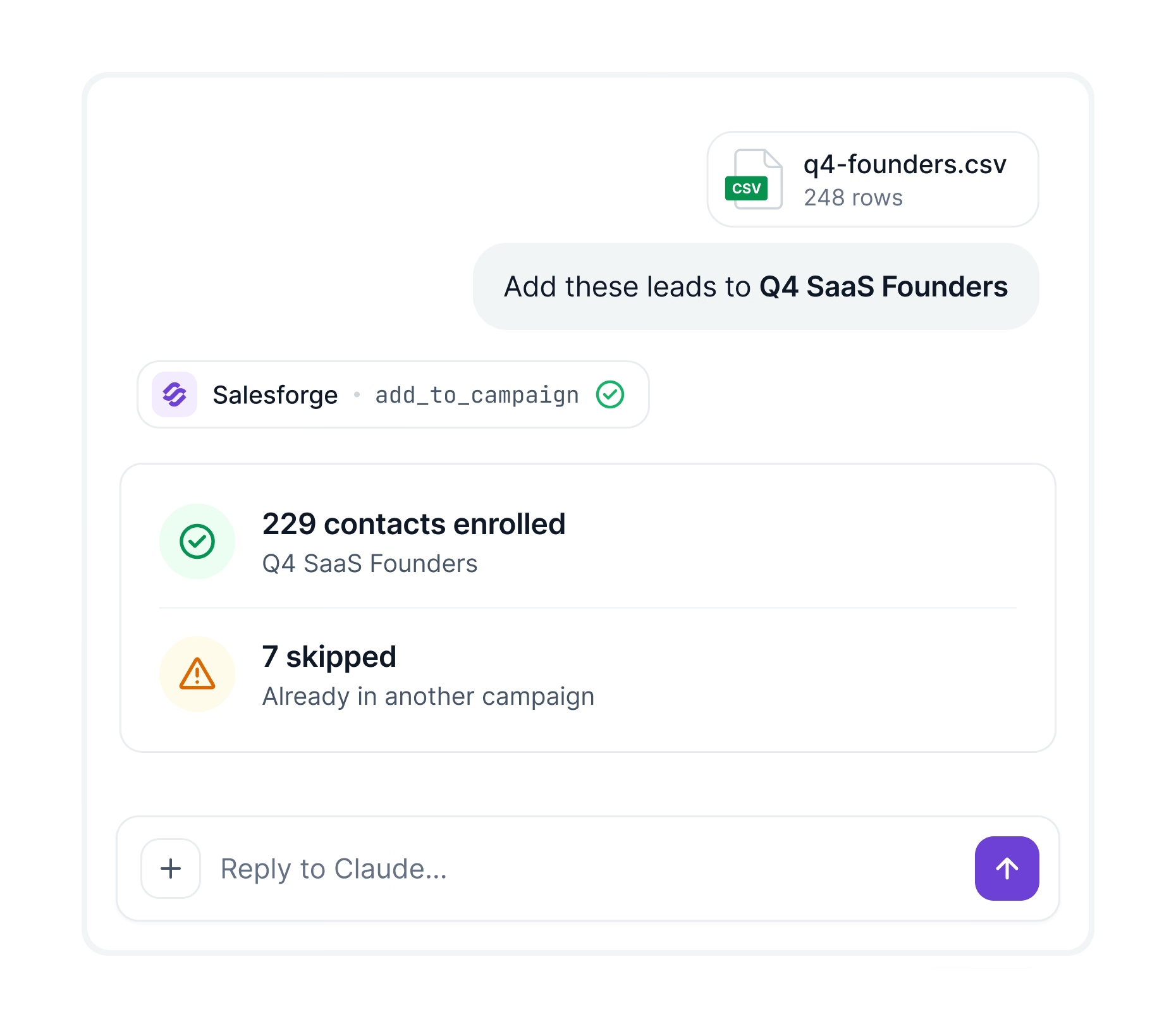
Upload leads and enroll them in one prompt

Upload your contacts and add them to a campaign. Your assistant flags anyone already in another one.
Upload contacts one by one or in bulk
Verify emails before the first send
Add contacts to your do-not-contact list
Claude chat adding uploaded leads to a Salesforge campaign via the Salesforge MCP
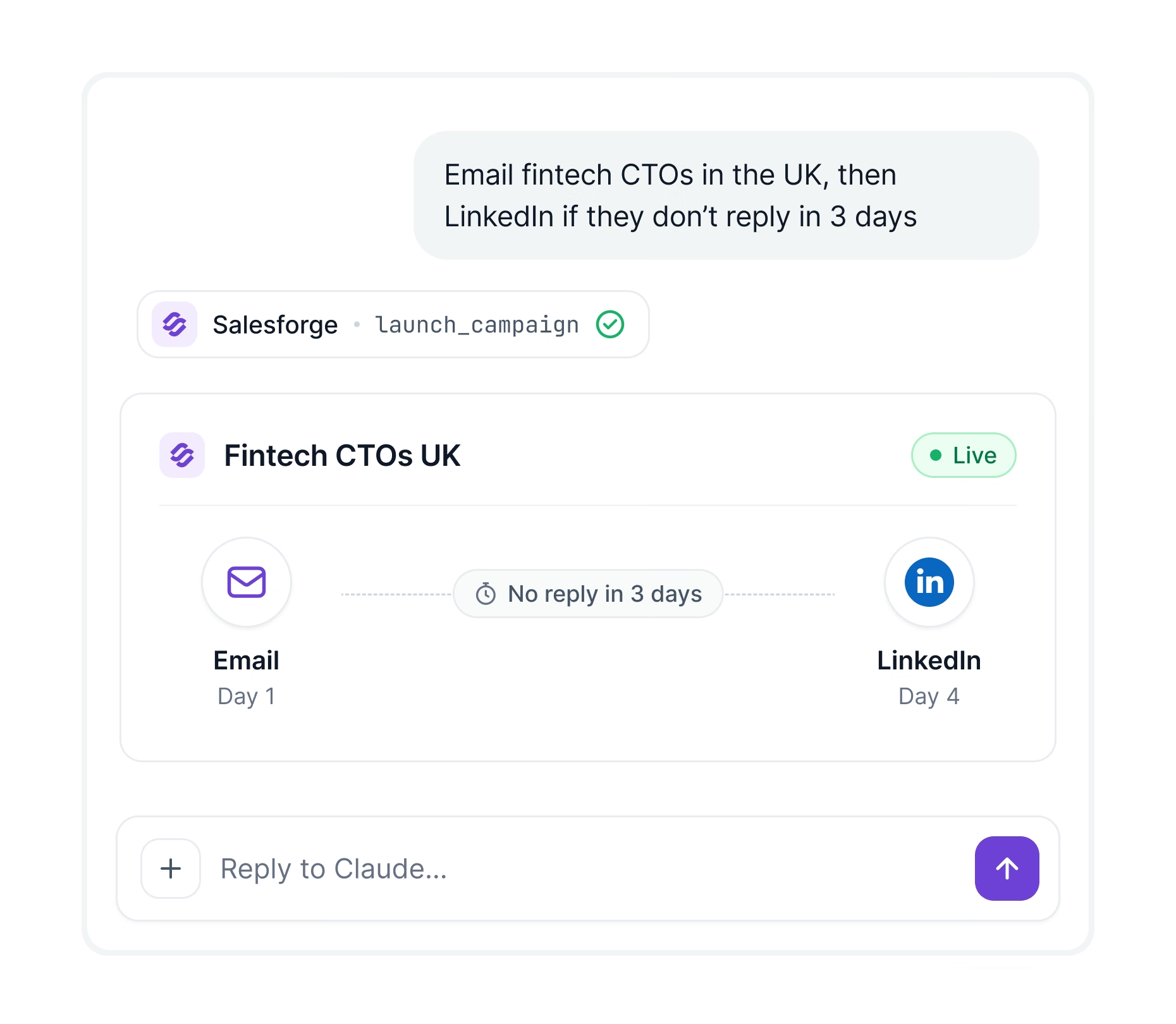
Claude chat launching an email and LinkedIn campaign in Salesforge

Prompt the campaign you want to launch

Tell your assistant who to reach, which channels and when. It builds and launches the campaign in Salesforge.
Email and LinkedIn steps with if/then paths
Assign mailboxes and LinkedIn senders in chat
Move interested leads into follow-up campaigns

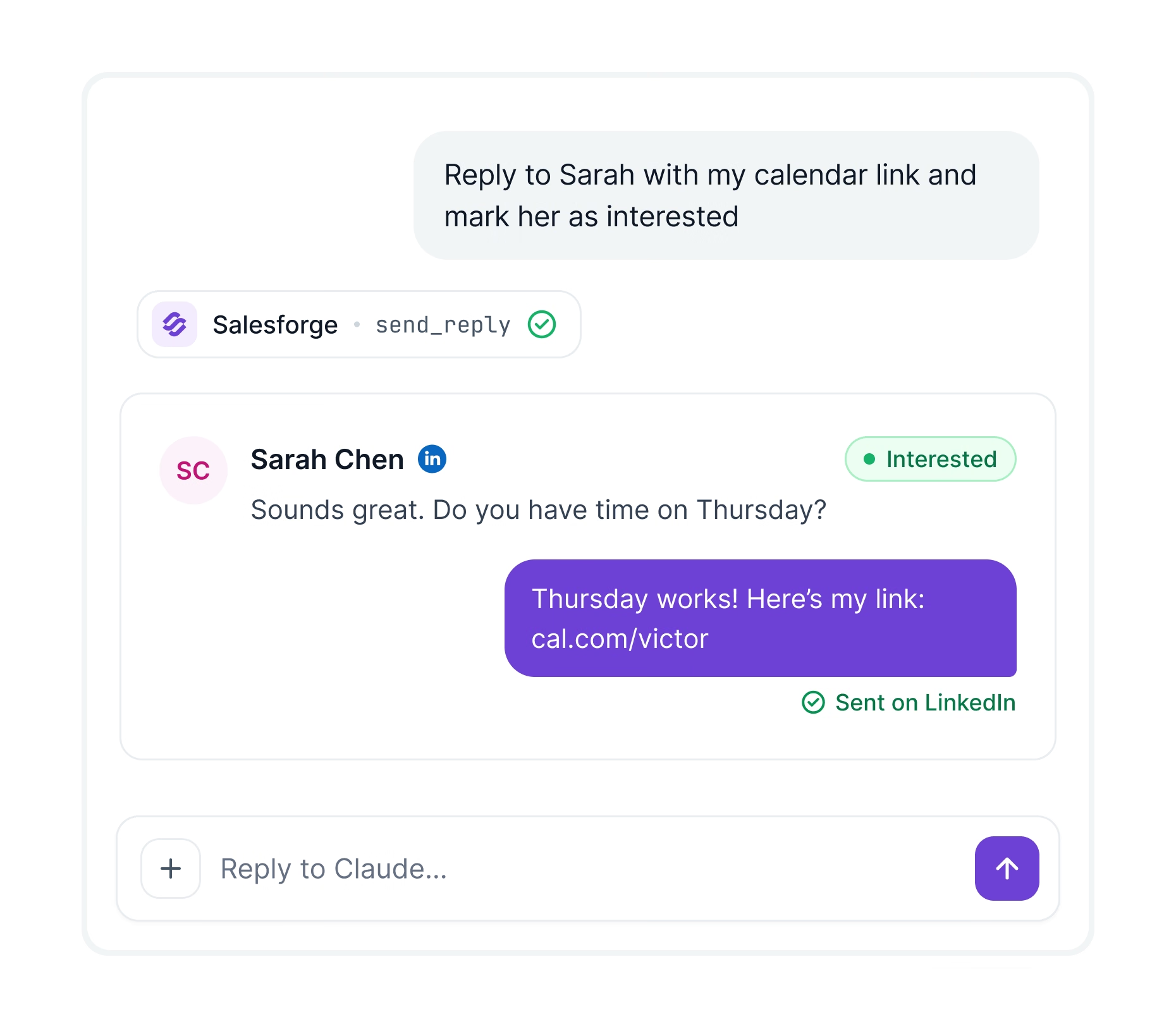
Reply to leads right from your AI chat

Read new replies and answer them without opening Primebox. Works for both email and LinkedIn.
Read reply threads and their labels
Answer emails and LinkedIn messages
Relabel threads as interested or not
Claude chat replying to a lead on LinkedIn and marking her as interested
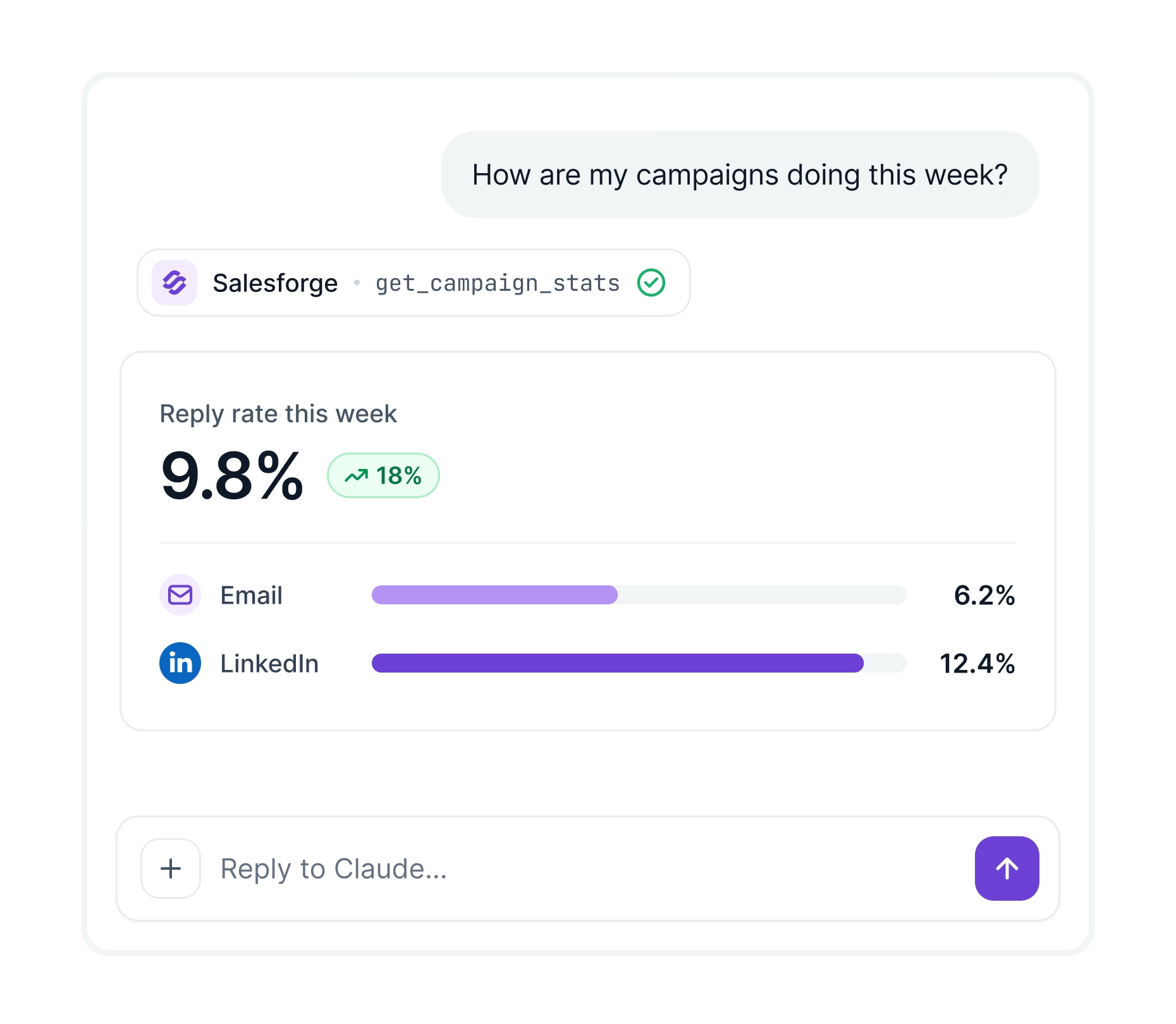
Claude chat showing Salesforge campaign reply rates by channel

Check campaign performance in your chat

Ask how a campaign or mailbox is doing. Your assistant pulls opens, replies and bounces and sums it up.
See which campaigns get the most replies
Find your best and worst mailboxes
Compare email and LinkedIn results side by side

How to use Salesforge MCP

Read documentation

Get MCP access

Start a Growth plan or free trial and generate your API key in Settings.

Connect your AI assistant

Link Salesforge to Claude, Cursor, Windsurf, VS Code, Claude Code and more.

Start prompting

Upload leads, launch campaigns and check results right inside your AI assistant.

10,000+ Businesses Run on Salesforge

View all Case Studies
Achieved
an
85.26%
Positive
Reply
Rate
and
a
$2.86
CAC
With
Salesforge,
Mailforge
&
Warmforge
Case Study
How
Reached
Over
214K
Prospects
With
a
16%+
Positive
Reply
Rate
Case Study
“Salesforge and your other products, and your fast support team were crucial in my first 2 years running a lead generation agency. As a solo founder, generating leads for myself and my clients is challenging. Salesforge helped me create a "lean and mean" pipeline. With a small investment of time and money, I often receive so many leads that I have to pause my campaigns.”
Vytas Mikulenas
Founder, Lean Sales Systems
“I've used many platforms and no one beats Salesforge on email deliverability and ease of use. Every week the team adds new features and the support is excellent!”
Sam Momani
CEO, LinkedDNA
"Salesforge's new infrastructure is a game-changer. Big boost for my deliverability and sending capacity. I've tried multiple outreach tools and let me tell you: it's a must-have for everyone that is serious about cold emailing at scale."
Roman Hipp
Co-founder, bettercontact.rocks
"Our CAC is currently $2.86, and we expect it to decrease even further. We’re currently onboarding 4 to 5 new music creators every day. We truly believe in what you’re building at Salesforge. Your guidance on how to scale and reach the right customers has been a game changer for us. Tying your strategy of setting up domains + inboxes + warming up + daily limits with our royalty audit lead magnet has allowed us to grow efficiently, bringing in strong results without excessive effort. It’s made a real difference."
Carlos Palop
CEO, UniteSync
"I only uploaded 40 contacts and I've had 3 positive replies."
Stuart Brent
Founder, Vacord Screen Printing
How
Runs
Multi-Domain
Cold
Outreach
With
The
Forge Stack
Case Study

Frequently asked questions

If we don’t answer your question below, please contact us via chat

What is the Salesforge MCP server?

It connects your AI assistant to Salesforge. You upload leads, launch campaigns and answer replies by typing.

Can it find new leads?

No. It works with contacts you upload. To search for new leads, connect Leadsforge with its own API key.

Which AI assistants can I use?

Claude, Cursor, Windsurf, VS Code and any app that supports MCP.

Does it work for LinkedIn outreach?

Yes. You can add LinkedIn steps, connect LinkedIn accounts and reply to LinkedIn messages.

Do I need to code?

No. You paste one setup block with your API key into your AI app. Claude Desktop also needs Node.js installed.

Which plan includes MCP?

The Growth plan. It's $80 a month billed yearly or $96 billed monthly. Both start with a 14-day free trial.